
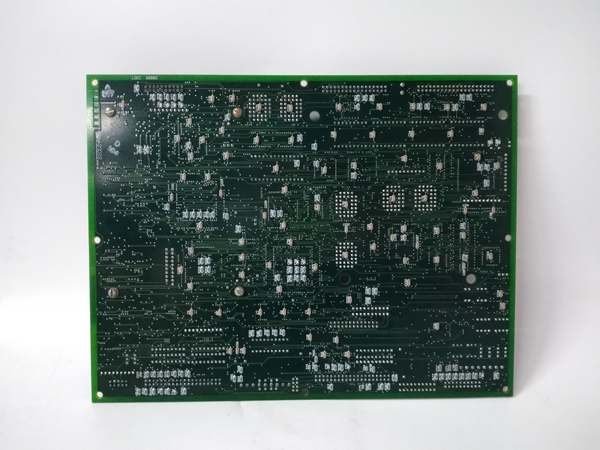
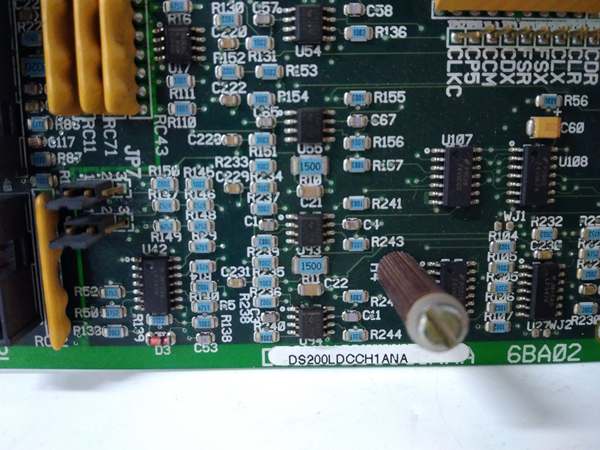
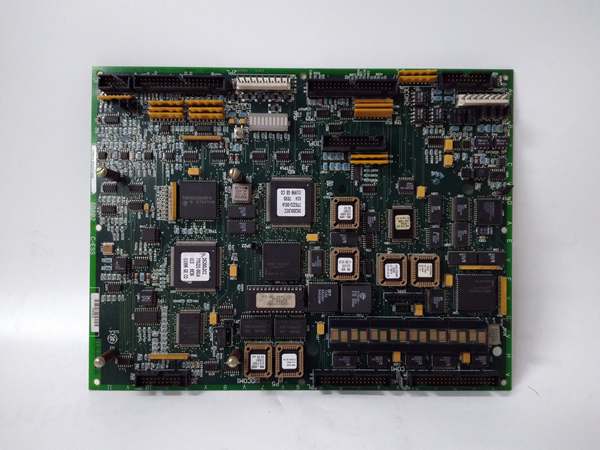
Description
Hard-Numbers: Technical Specifications
- Bus Architecture: MARK IV/QDII bus protocol
- Processor Type: Dedicated drive control CPU
- Revision Indicator: NA suffix (non-backward compatible variant)
- Onboard Memory: NVRAM with battery backup for parameter retention
- Communication Interface: QDII bus (board-to-board communication)
- Input Voltage: 24V DC nominal (18-32V range)
- Operating Temperature: 0°C to 50°C (32°F to 122°F)
- Storage Temperature: -40°C to +85°C (-40°F to +185°F)
- Power Draw: Approximately 15W at 24V DC
- Diagnostic LEDs: Power, Run, Fault, Communication status indicators
- Battery Backup: 3.6V lithium thionyl chloride (replacable)
- Board Dimensions: Standard GE Mark IV form factor
- Firmware Update: Via QDII bus using GE proprietary loader

GE DS200LDCCH1ANA
The Real-World Problem It Solves
LCI systems demand precise real-time coordination between motor speed feedback and SCR firing sequences. The DS200LDCCH1ANA provides the computational horsepower to execute these algorithms while managing fault detection and system protection logic. The NA revision addresses specific firmware compatibility requirements that earlier revisions cannot handle.
Where you’ll typically find it:
- GE Mark IV LCI static starter cabinets for turbine applications
- Large motor starting systems (compressor drives, pump starters)
- Industrial installations requiring torque-controlled soft starts
Bottom line: Central decision engine for Mark IV LCI drives with NA revision-specific firmware compatibility.
Hardware Architecture & Under-the-Hood Logic
This board is the brains of the Mark IV LCI system, sitting on the QDII backplane and coordinating all drive control functions. It has its own microprocessor and NVRAM storage, operating independently but communicating constantly with peripheral boards like SDCC and FDCA. The NA revision carries firmware differences that change how it handles specific timing routines and fault response logic.
Signal flow:
- 24V DC power applied through backplane connector
- CPU executes power-on self-test (POST) routine
- Firmware loads from NVRAM into execution memory
- QDII bus handshake established with peripheral boards
- Motor feedback signals received via SDCC interface
- CPU calculates SCR firing angles based on speed/torque setpoints
- Firing commands transmitted to gate driver boards
- System status continuously monitored for fault conditions
- Protection logic executes if thresholds exceeded
- Fault data logged to NVRAM for post-trip analysis
- Front panel LEDs updated to reflect current system state
- Communication maintained with external HMI systems
GE DS200LDCCH1ANA
Field Service Pitfalls: What Rookies Get Wrong
Assuming NA revision is backward compatible with A/LA boardsPart number mismatch during replacement. I’ve swapped an NA board into a system configured for an A revision and spent three days chasing firmware errors that shouldn’t exist.
- Field Rule: Match the exact part number including the NA suffix. The firmware in the NA revision communicates differently with peripheral boards. Never assume interchangeability without checking the system configuration manual first.
Pulling the board while QDII bus is activeLive board removal kills the bus. I’ve seen techs power down the cabinet but forget the QDII bus holds residual charge, corrupting the NVRAM on adjacent boards when the connector is pulled.
- Field Rule: Kill all power sources including any auxiliary supplies. Wait 30 seconds after power-off before touching any backplane connectors. Verify zero volts on the bus pins with a multimeter before removal.
Missing the battery backup voltage thresholdDead battery kills NVRAM on first power cycle. I’ve replaced the CPU, powered up the system, and watched all tuning parameters vanish because the backup battery was at 2.1V.
- Field Rule: Measure the backup battery voltage before installation. Replace it if below 2.7V. Document the replacement date—you’ll get 3-5 years from a fresh lithium cell. Cycle power after battery replacement to verify NVRAM retention.
Forgetting to clear fault latches before restartOld fault codes trigger immediate trip. I’ve cleared a ground fault, hit the start button, and watched the system instantly trip again because the CPU latch wasn’t reset properly.
- Field Rule: Use the approved fault reset procedure for the NA revision. The NA firmware stores latch data differently than earlier versions. Cycle the entire QDII bus reset sequence, not just the CPU power. Verify all fault history is cleared before attempting restart.
Improper DIP switch configuration for NA revisionWrong boot mode causes system hang. I’ve left DIP switches at factory default settings on an NA board and watched the system hang during initialization because it booted into diagnostic mode instead of run mode.
- Field Rule: Verify DIP switch settings match the NA revision documentation. Settings differ from A and LA revisions. Photograph the switch positions on the old board before removal. Never power up without confirming switch configuration matches the system requirements.
Commercial Availability & Pricing Note
Please note: The listed price is for reference only and is not binding. Final pricing and terms are subject to negotiation based on current market conditions and availability.



