
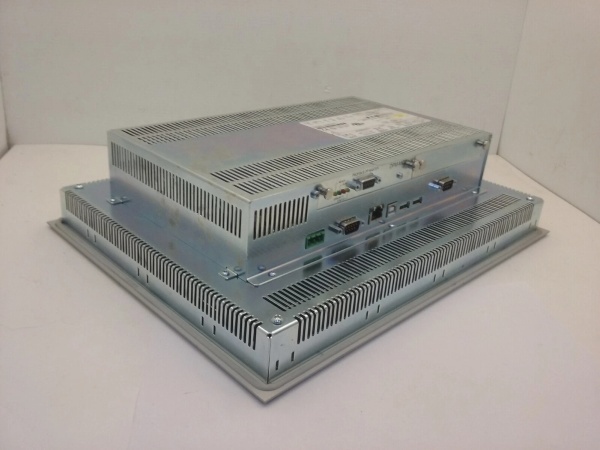
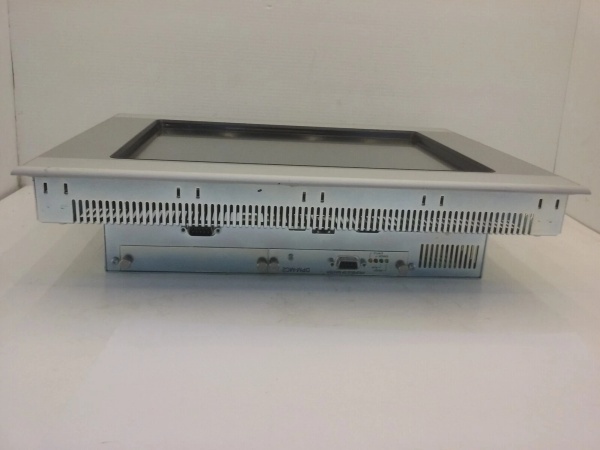
Description
Hard-Numbers: Technical Specifications
- Display Specifications:
- Screen Size: 12.1 inch (diagonal)
- Display Type: TFT LCD with LED backlight
- Resolution: 800 × 600 pixels (SVGA)
- Touch Technology: Resistive or Capacitive (check variant; 10TVB typically resistive)
- Colors: 65,536 (16-bit)
- Brightness: 300-400 cd/m² (typical)
- Contrast Ratio: 400:1 (typical)
- Viewing Angle: 160°/140° (horizontal/vertical)
- Backlight Life: >50,000 hours
- Hard Coating: Anti-glare (on selected models)
- Integrated Controller: XC-101
- Processor: ARM9 or similar (check documentation)
- Program Memory: 512 KB (typical)
- Data Memory: 256 KB typical (check documentation)
- Retentive Memory: Battery-backed or flash-based (verify size)
- Programming Standard: IEC 61131-3 (LD, FBD, ST, SFC, IL) via CODESYS V2.3
- Communication Interfaces:
- Ethernet: 2 × RJ45 ports (10/100 Mbit/s), switch integrated
- Serial Port 1: RS-232 (9-pin D-sub), configurable
- Serial Port 2: RS-485/422 (9-pin D-sub), configurable
- USB: 1 × USB 2.0 Device (for project transfer), 1 × USB Host (for keyboard/mouse or storage)
- Optional Fieldbus: PROFIBUS DP, CANopen, DeviceNet, Modbus TCP, etc. (via expansion cards if supported)
- Digital I/O (on HMI controller base) :
- Digital Inputs: 10 (24 VDC, isolated, sink/source configurable; verify)
- Digital Outputs: 6 (24 VDC, 0.5 A typical, transistor or relay—check variant)
- Fast Counter: 2 (verify spec for frequency and modes)
- Analog I/O (on HMI controller base) :
- Analog Inputs: 0 on base unit typically (add via XV-500 expansion)
- Analog Outputs: 0 on base unit typically (add via XV-500 expansion)
- Power Supply:
- Input Voltage: 24 VDC (-15%/+20%, typical range)
- Current Consumption: ~1.5 A typical (confirm with documentation)
- Power Consumption: ~36 W typical
- Inrush Current: Limited (check spec; often 10 A for 10 ms)
- Reverse Polarity Protection: Yes (typically)
- Undervoltage Detection: Yes (threshold ~18V)
- Environment:
- Operating Temperature: 0°C to +50°C (32°F to +122°F)
- Storage Temperature: -20°C to +60°C (-4°F to +140°F)
- Humidity: 5% to 95% non-condensing
- Altitude: Up to 2000 m without derating
- Pollution Degree: 2
- Enclosure Rating: IP65, IP66K (front), IP20 (rear)
- Certifications:
- CE, UL, cULus, FCC Class A, KC
- Marine/Offshore: DNV GL, ABS, LR (on selected models with -xx suffix)
- Hazardous Areas: Not typically for base model; specialized variants available
- Physical Characteristics:
- Dimensions: 340 mm × 260 mm × 60 mm (13.4 in. × 10.2 in. × 2.4 in.)
- Cutout: 313 mm × 233 mm (12.3 in. × 9.2 in.)
- Weight: ~2.0 kg (4.4 lb)
- Mounting: Panel mount with clamp brackets
- Software Compatibility:
- Configuration Software: XSoft Pro (Eaton)
- HMI Design Software: Galileo (Eaton) or XSoft HMI
- Programming: CODESYS V2.3 compliant, IEC 61131-3
- Data Exchange: OPC UA Server/Client (check firmware version; may require license), Modbus TCP/RTU Slave/Master
- Expansion Capabilities:
- XV-500 I/O Expansion: Up to 4 modules typically (confirm; supports digital/analog mix)
- Fieldbus Cards: PROFIBUS DP Master/Slave, CANopen Master/Slave, DeviceNet Master, etc. (check variant support)
- Communication: Additional serial ports, additional Ethernet (via expansion if supported)
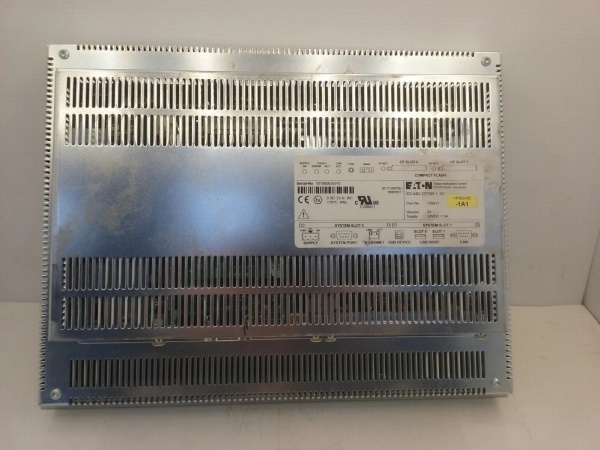
Eaton XV-440-10TVB-1-50
The Real-World Problem It Solves
You need machine control and human-machine interface in a single compact package. The XV-440 integrates a full-featured PLC with a 12.1-inch touchscreen, reducing cabinet space, wiring complexity, and integration overhead. It’s the difference between a traditional PLC + separate HMI architecture (with double the programming effort and inter-system communication) and a unified control platform that simplifies engineering, reduces failure points, and speeds up development.
Where you’ll typically find it:
- Packaging machinery (cartoners, case packers, labelers) requiring HMI for operator interaction and PLC for motion/sensor logic
- Material handling systems (conveyors, sorters, AGVs) with local control stations and visualization
- Food and beverage processing lines needing IP65 front protection and washdown compatibility
- Pump stations and skid-mounted equipment with integrated control panels
- Small-to-medium process applications where a separate PLC and HMI would be overkill
Bottom line: This is a space-saving, cost-effective solution for machine-level automation—combining control and visualization into one device streamlines your architecture, reduces wiring, and simplifies maintenance compared to split PLC+HMI designs.
Hardware Architecture & Under-the-Hood Logic
The XV-440-10TVB-1-50 combines an HMI front-end (display, touchscreen, and visualization runtime) with an XC-101 logic controller backend. Both share the same housing and power supply but can be programmed independently or as a unified system. The integrated 2-port Ethernet switch simplifies network daisy-chaining without external switches, and onboard digital I/O handles local machine I/O without expansion.
- HMI Subsystem: The 12.1″ TFT LCD with resistive/capacitive touch runs Eaton’s HMI runtime (Galileo-based). It supports multiple pages, alarms, recipes, data logging, and trend displays. Projects are transferred via USB or Ethernet. The HMI can communicate with the integrated XC-101 PLC via internal shared memory or via Ethernet/Modbus TCP, depending on configuration.
- Controller Subsystem: The XC-101 is an Eaton XC-series PLC running CODESYS V2.3. It executes IEC 61131-3 programs (LD, FBD, ST, SFC, IL) with 512 KB program memory. Digital inputs and outputs are directly connected to the PLC’s I/O banks, and the PLC communicates with the HMI and external devices via Ethernet (Modbus TCP, PROFINET Controller if supported) or serial ports (Modbus RTU, ASCII).
- Integrated Switch: The dual Ethernet ports form a 2-port switch internally, allowing daisy-chain network topology without external switches. Each port is 10/100 Mbit/s, auto-MDI/MDI-X. The switch operates at Layer 2 and supports VLAN tagging (check firmware).
- Onboard I/O: 10 digital inputs and 6 digital outputs are accessible via pluggable terminal blocks. These are mapped directly to the XC-101’s I/O image and can be used for local machine control (sensors, actuators, indicator lights, relays).
- Expansion Interface: The XV-440 supports up to 4 XV-500 I/O expansion modules (confirm count) via a proprietary expansion bus on the rear. XV-500 modules add analog inputs/outputs, additional digital I/O, or specialized functions (temperature, RTD, thermocouple). Fieldbus expansion cards (PROFIBUS, CANopen, etc.) may also be supported.
- Power Supply Architecture: 24VDC input powers both HMI and controller subsystems through shared DC-DC converters. Reverse polarity protection and undervoltage detection safeguard against supply faults. The unit typically draws ~1.5A at 24VDC, including backlight and all I/O.
- Communication Gateway Functionality: The XC-101 can act as a gateway between fieldbus networks (e.g., Modbus RTU to Modbus TCP, or PROFIBUS to Ethernet) depending on firmware and expansion cards. This allows legacy devices to be integrated into modern Ethernet-based architectures.
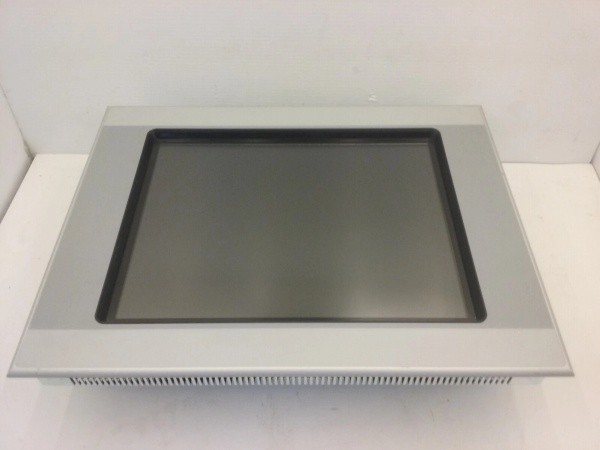
Eaton XV-440-10TVB-1-50
Field Service Pitfalls: What Rookies Get Wrong
Assuming HMI and PLC Share Variables AutomaticallyTechs program the HMI screens and PLC logic separately but forget to map tags, then wonder why the HMI shows default values instead of live PLC data.
- Field Rule: In Eaton’s architecture, the HMI and PLC are separate runtime environments. You must configure tag communication either via internal shared memory (if supported by firmware) or via Ethernet/Modbus TCP. Use XSoft to define PLC tags and Galileo/XSoft HMI to create HMI tags linked to PLC addresses (e.g., %IW0, %QW0). Verify the communication driver settings and confirm data exchange with online monitoring.
Overloading the 24VDC Power SupplyConnecting external 24VDC devices (sensors, relays, small actuators) directly to the HMI’s power input terminals, drawing excessive current and causing the XV-440 to brown out or reset.
- Field Rule: The XV-440’s 24VDC input is for powering the HMI+controller only, not for supplying external loads. Use a separate 24VDC power supply for field devices. The XV-440’s digital outputs can switch external loads, but their current capability is limited (typically 0.5A per output, check datasheet). If you need to power multiple sensors, use an external power supply and tie the commons appropriately.
Wrong Ethernet Topology Causing Network LoopsTechs daisy-chain multiple XV-440 units using both Ethernet ports and also connect them to a central switch, creating a Layer 2 loop that causes broadcast storms and network paralysis.
- Field Rule: The integrated 2-port switch is for daisy-chaining OR for redundancy, not both simultaneously without spanning tree protocol. Use either: (1) Daisy-chain device-to-device with Port 1 uplink to plant network, or (2) Star topology with both ports connected to different switches for redundancy (RSTP enabled). Do NOT mix topologies unless you understand STP. The XV-440’s switch supports RSTP (check firmware)—enable it if using redundant uplinks.
Forgetting to Configure Digital I/O Electrical TypeLeaving digital inputs/outputs at default configuration when they require sink vs. source wiring, then sensors don’t trigger or outputs don’t energize.
- Quick Fix: The XV-400 series digital I/O is typically configurable for sink or source operation via software or jumpers. Verify the field device type (NPN vs. PNP sensors, relay vs. PLC inputs) and configure the XV-440 accordingly. Use XSoft to set I/O parameters or check hardware jumpers (if present). Always verify with a multimeter: for inputs, ensure 24V is present when the sensor activates; for outputs, measure voltage at the terminal when the PLC turns the output ON.
Misunderstanding Expansion Module LimitationsAttempting to daisy-chain more than 4 XV-500 expansion modules, expecting the system to work like a modular PLC rack, then discovering the XV-440 can’t address modules beyond the fourth.
- Field Rule: The XV-440 supports up to 4 XV-500 expansion modules (confirm exact count in documentation). Each module consumes addresses in the PLC’s I/O memory map. Plan your I/O budget carefully—if you need more than ~16 digital I/O and ~4 analog I/O, consider a larger XC-series PLC or a separate expansion rack. The XV-500 modules add digital/analog/RTD capability but are not infinite like traditional PLC backplanes.
Ignoring Screen Resolution and Page DesignDesigning HMI screens on a high-resolution development PC and deploying to the 800×600 XV-440, finding that controls overlap or text is truncated.
- Field Rule: Always design HMI pages at the target resolution (800×600) or use the simulator in Galileo/XSoft HMI at 100% scale. The resistive touchscreen on 10TVB variants has a bezel—keep controls away from edges. Test touch targets for finger size (minimum 7×7 mm). For operator comfort, use high-contrast colors and avoid fine fonts (<10 pt) that are hard to read in industrial environments.
Neglecting Firmware Updates Before CommissioningInstalling an XV-440 with factory firmware and discovering it doesn’t support a required feature (e.g., OPC UA, PROFINET Controller), then struggling to update in the field.
- Field Rule: Check Eaton’s firmware release notes for your XV-440 model before installation. Download the latest firmware from Eaton’s website and update via USB or Ethernet using XSoft. Firmware updates can add features, fix bugs, and improve performance. Always backup the project before updating. Document the firmware version in your asset registry for future reference.
Commercial Availability & Pricing Note
Please note: The listed price is for reference only and is not binding. Final pricing and terms are subject to negotiation based on current market conditions and availability.



