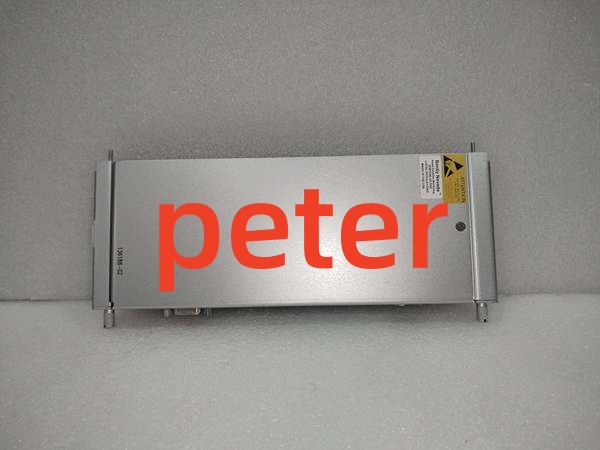
Description
Product Core Brief
- Model: 136188-02
- Brand: Bently Nevada
- Series: 3500 Machinery Protection System
- Core Function: Serves as an Ethernet/RS232 Modbus I/O communication gateway to interface the 3500/92 module with external DCS/PLC systems.
- Product Type: Communication Gateway Module
- Key Specs: 16 Digital Inputs | 16 Digital Outputs | Modbus TCP/RTU Support
- Note: Verify network IP configuration and Modbus map settings before installation.
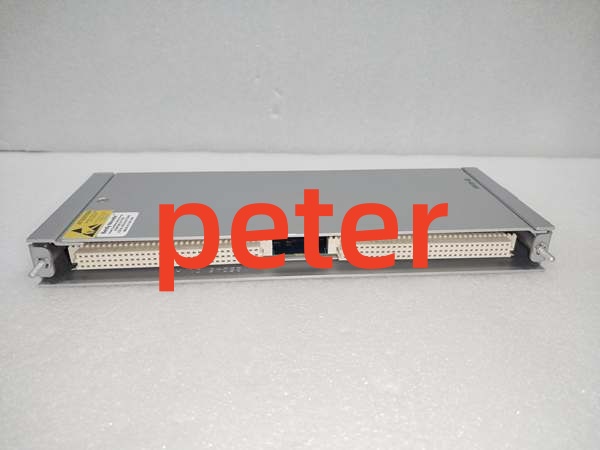
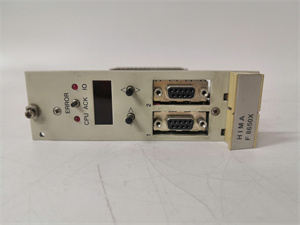
Bently Nevada 136188-02
Key Technical Specifications
- Compatible Monitor: 3500/92 Communication Gateway
- Digital Inputs: 16 channels
- Digital Outputs: 16 channels
- Supported Protocols: Modbus RTU and Modbus TCP
- Max Data Rate: Up to 115.2 kbps (RS232)
- Network Interface: Ethernet (10/100 Base-T)
- Operating Temp: -30 °C to +65 °C (-22 °F to +150 °F)
- Storage Temp: -40 °C to +85 °C (-40 °F to +185 °F)
- Humidity: 95% non-condensing
- Mounting: DIN Rail / 3500 Rack Backplane
- Ingress Protection: IP20
Product Introduction
The Bently Nevada 136188-02 is a Communication Gateway I/O module designed for the 3500/92 framework. It acts as the primary bridge between the Bently Nevada machinery protection system and external plant control systems, supporting both Modbus RTU and Modbus TCP protocols.
This module provides 16 digital inputs and 16 digital outputs, enabling seamless data exchange and remote control. It translates critical machinery parameters into standardized formats, allowing operators to monitor real-time system status and receive alarm notifications from their primary DCS or SCADA environment.
QA & Testing SOP (Transparency Building)
- Incoming Inspection: Verify serial number traceability against OEM records; inspect RJ45 and RS232 ports for physical damage or bent pins; confirm anti-static packaging integrity.
- Live Testing: Power-on in 3500/92 test rack; verify OK LED status and backplane communication; run 24-hour burn-in with active Modbus polling to check for network dropouts.
- Electrical Testing: Measure insulation resistance (>10 MΩ at 500VDC); verify ground continuity <0.1 Ω; test digital I/O channel continuity.
- Firmware/Config Backup: Record exact firmware revision via 3500 Configuration Software; photograph all DIP switches and jumper settings before packing.
- Final QC & Packaging: Apply QC pass tag with test date; pack in OEM-spec anti-static bag with foam corner protectors; seal in individual box with documentation.
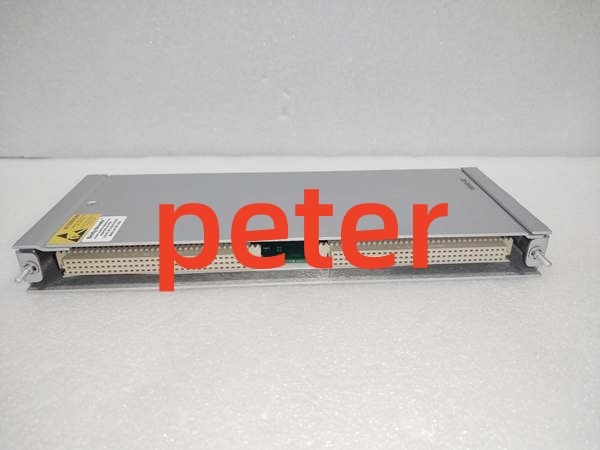
Bently Nevada 136188-02
Installation Pitfalls & Guide (Engineer to Engineer)
❗ Firmware Rev Mismatch: Mixing revisions in a 3500/92 slot can cause Modbus mapping errors or communication timeouts. Always match the exact revision of the replaced unit or update the entire frame via 3500 Configuration Software before commissioning.
❗ DIP Switch/Jumper Errors: Network configuration and termination settings are critical. Take a high-res photo of the old module’s jumper settings before removal. Incorrect Modbus node ID or baud rate will cause complete communication failure with the host DCS.
❗ Wiring Incompatibilities: Pinouts for RS232 and Ethernet differ significantly. Do not assume wire-for-wire compatibility. Verify terminal block labeling against the 3500/92 manual; incorrect RS232 wiring can destroy the serial port IC.
❗ Power Draw Changes: This module draws specific current for both logic and network transceivers. Calculate total backplane load; exceeding power supply capacity causes intermittent network resets during high-traffic polling.
❗ ESD Dangers: The Ethernet and serial interface circuitry is extremely ESD-sensitive. A single static discharge can destroy the communication transceivers. Always wear a grounded wrist strap connected to the rack chassis, not just the bench mat.
Replacement Procedure:
- Pre-install: Back up 3500/92 configuration and Modbus map; photograph jumpers; verify new unit revision matches.
- Removal: Power down frame (3500/92 is NOT hot-swappable); wait 60s for capacitor discharge; disconnect network cables; remove module.
- Install: Set jumpers per photo; seat module firmly; reconnect Ethernet/RS232 cables; torque terminal screws to 0.5 Nm.
- Power-on Test: Apply power; verify OK LED; check 3500 Configuration Software for no faults; ping the module and verify Modbus register reads.
FAQ (Frequently Asked Questions)
Q: Can I hot-swap the Bently Nevada 136188-02?
A: No. The 3500/92 Communication Gateway lacks hot-swap circuitry. Removing it under power will cause a backplane voltage disturbance, potentially corrupting the configuration of adjacent monitoring modules and risking arc damage to the backplane connector. Always perform a controlled frame shutdown.
Q: Why is my new module showing a “Comm Fail” alarm?
A: Check the network configuration first. Verify that the IP address, subnet mask, and Modbus node ID match the host DCS settings exactly. Also verify the Ethernet cable is a straight-through CAT5e/CAT6 and that link LEDs are illuminated.
Q: Is this module interchangeable with the 3500/90 gateway?
A: No. The 3500/90 and 3500/92 are distinct communication gateways with different protocol support and backplane interfaces. The 136188-02 is specifically engineered for the 3500/92 slot. Forcing the wrong module into the slot will not work and may damage the backplane.
Q: What happens if I lose power to this module during operation?
A: You lose all external DCS communication and remote I/O control. The 3500/92 requires continuous power to maintain network handshakes and process digital I/O. There is no battery backup for communication. Always ensure redundant power supply configuration per API 670.
Q: How do I verify if this is a genuine Bently Nevada 136188-02?
A: Check for the Bently Nevada logo etched (not printed) on the PCB; verify the serial number matches the label; inspect solder joints for machine-wave consistency (hand-soldered joints indicate refurbishment or counterfeit). Request the OEM certificate of conformity from the supplier; reputable vendors provide traceability to the original Bently Nevada shipment.
Q: Can I use this module for both Modbus TCP and RTU simultaneously?
A: No. The module must be configured to operate in either Modbus TCP (Ethernet) or Modbus RTU () mode via the 3500 Configuration Software. It cannot actively communicate on both protocols concurrently.
Q: What’s the warranty on replacement units?
A: Standard warranty is 12 months from shipment date, covering manufacturing defects and DOA conditions. Warranty does not cover ESD damage, overvoltage from incorrect wiring, or physical damage from improper installation. Always retain the QC test report and original packaging for warranty claims.