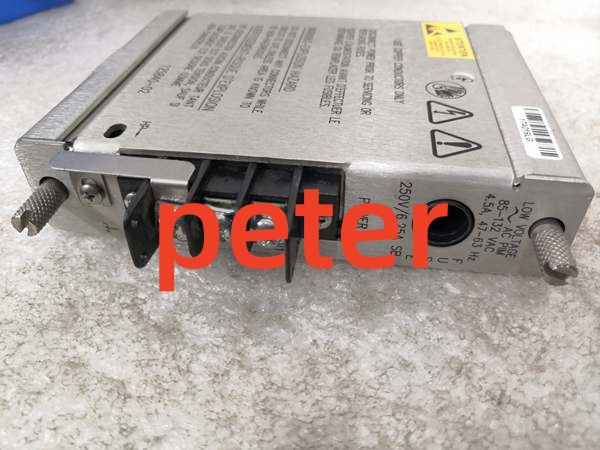
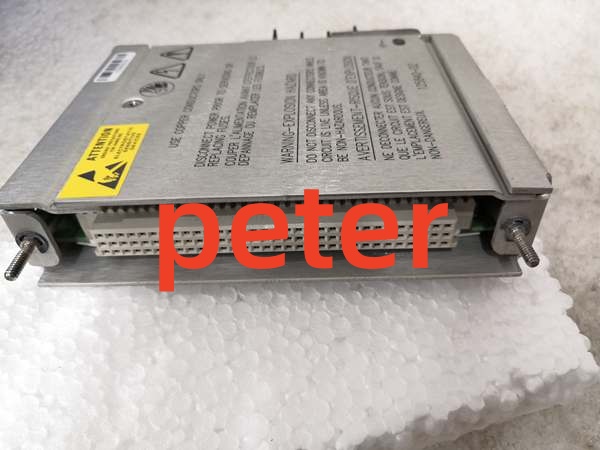
Description
Product Core Brief
- Model: 125840-02
- Brand: Bently Nevada
- Series: 3500 Machinery Protection System
- Core Function: Converts low-voltage AC input into stable internal DC power for the 3500 rack backplane.
- Product Type: AC Power Supply Module
- Key Specs: 85-132 Vac rms | Triple Modular Redundancy (TMR) | Hot-Swappable
- Note: Must be installed in the leftmost dedicated power slot (Slot 1).
Key Technical Specifications
| Parameter | Specification |
|---|---|
| Input Voltage Type | Low-Voltage AC |
| Input Range | 85 to 132 Vac rms |
| Output Frequency | 100 kHz (Internal Switching) |
| Typical Power Consumption | 4.75 W |
| Redundancy Support | Triple Modular Redundancy (TMR) |
| Hot-Swappable | Yes |
| Operating Temperature | -40°C to +85°C |
| Physical Dimensions | Approx. 20 cm x 10 cm x 5 cm |
| Weight | 0.5 – 2 kg |
| Protection Rating | IP65 |
| Certifications | ATEX Zone 2 (Optional) |
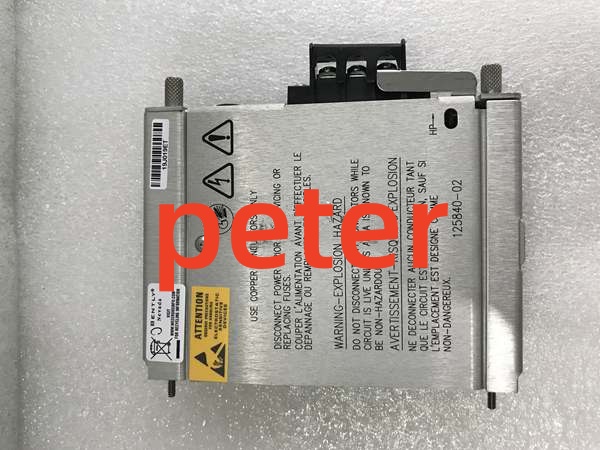
Bently Nevada 125840-02
Product Introduction
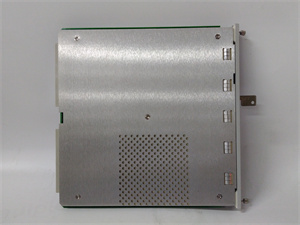
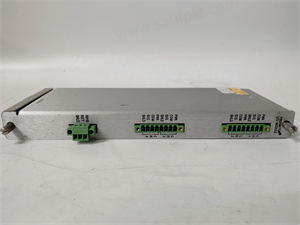
The 125840-02 is a dedicated low-voltage AC power supply module for the 3500 Machinery Protection System. It accepts 85 to 132 Vac rms input and converts it to the stable DC voltages required by the backplane and all active monitoring modules.
This unit features Triple Modular Redundancy (TMR) and hot-swapping capabilities to ensure continuous system uptime. It includes comprehensive overload, overvoltage, and undervoltage protection to maintain safe operation in harsh industrial power environments.
QA & Testing SOP (Transparency Building)
- Incoming Inspection: Verify part number 125840-02 against OEM documentation. Inspect the chassis for physical damage, blown fuses, or burnt components. Check the AC input connector pins for corrosion or bending.
- Live Testing: Install in a verified 3500 test rack. Apply 115 Vac input and measure internal DC rail outputs with a calibrated Fluke 115 multimeter. Verify ripple voltage is within OEM tolerances.
- Electrical Testing: Measure insulation resistance between AC input, DC output, and chassis ground (>10MΩ). Verify grounding continuity. Simulate a brownout condition to confirm undervoltage protection triggers correctly.
- Hardware Verification: Confirm the front-panel status LEDs illuminate correctly during power-up. Check that the module locks securely into the rack slot without mechanical binding.
- Final QC & Packaging: Clean the module exterior and connector contacts with approved solvent. Package in anti-static shielding with desiccant. Attach a QC pass tag detailing test voltages, date, and technician ID.
Installation Pitfalls & Guide (Engineer to Engineer)
❗ Incorrect Slot Placement: This power supply is physically keyed and logically required to be in the leftmost dedicated slot (Slot 1) of the 3500 frame. Never attempt to install it in a standard monitor slot. Doing so will damage the backplane and void warranties.
❗ Ignoring Redundancy Wiring: If you are running a dual or triple redundant power configuration, verify the parallel bus connections before powering up. A miswired redundant link can cause one supply to fight the other, leading to immediate thermal failure.
❗ Failing to Calculate Load Headroom: The 3500 backplane has a strict power budget. Before adding this supply, calculate the total wattage draw of all installed modules. Running a power supply at 95% capacity will cause premature capacitor failure. Maintain at least 20% headroom.
❗ ESD and Live Connection Dangers: While this module is hot-swappable, never disconnect the AC input wiring while the module is seated in a live rack. The warning label explicitly states to disconnect power before servicing fuses. Always use a grounded wrist strap when handling the bare chassis.
❗ Voltage Selector Switch Errors: The 125840-02 is specifically a low-voltage AC (85-132 Vac) unit. If your panel is wired for high-voltage AC (175-264 Vac) or DC, this module will fail catastrophically upon power-up. Always verify the panel’s actual incoming voltage against the module’s label.
Replacement Guide:
- Pre-install: Verify incoming panel voltage matches the 85-132 Vac spec. Document the configuration of any redundant power links. Ground yourself.
- Removal: If replacing a failed unit in a redundant setup, simply pull the failed module straight out. If replacing the only power supply, you must schedule a full rack shutdown.
- Install: Slide the new 125840-02 into Slot 1 with even pressure. Ensure the locking lever engages fully. Reconnect the AC input wiring only after the module is mechanically seated.
- Power-on Test: Apply AC power. Verify the front-panel “OK” LED illuminates solid green. Check the 3500 System Health menu to confirm the power supply is reporting nominal voltage and no fault codes.
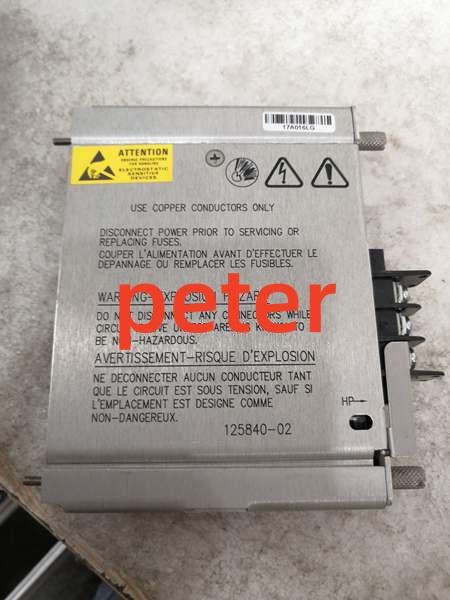
Bently Nevada 125840-02
FAQ (Frequently Asked Questions)
Q: Can I hot-swap this power supply module?
A: Yes, but only if your 3500 rack is configured with redundant power supplies. The TMR design allows you to pull and replace a failed supply without dropping the backplane voltage. If you only have a single power supply installed, you must perform a full rack shutdown before replacement.
Q: What is the difference between 125840-01 and 125840-02?
A: The suffix dictates the input voltage range. The 125840-01 is typically a standard or high-voltage AC module, while the 125840-02 is specifically configured for low-voltage AC (85 to 132 Vac rms). Never interchange them without verifying your panel’s incoming power.
Q: Why is my power supply LED blinking amber?
A: An amber LED typically indicates an undervoltage, overvoltage, or overcurrent fault on the backplane. Check your System 1 software or RIM module for specific fault codes. It can also indicate that the total module power draw exceeds the supply’s rated capacity.
Q: Can I mix different power supply models in a redundant setup?
A: No. Redundant power supplies must be identical part numbers and firmware revisions. Mixing a 125840-01 and a 125840-02 will cause voltage regulation conflicts and likely destroy the backplane bus. Always match exactly.
Q: Is this module compatible with the 3500/05 mini frame?
A: Yes. The 125840-02 is designed for both the full-size 19-inch (14-slot) and the 12-inch mini (7-slot) 3500 frames. In both configurations, it must occupy the leftmost power slot.
Q: What happens if I accidentally apply 240 Vac to this module?
A: The internal overvoltage protection and input fuses should blow to prevent a fire. However, the internal switching components will likely be permanently destroyed. You will need to replace the module and verify the upstream panel breaker or transformer tap before re-energizing.
Q: Does this supply require external cooling?
A: The 125840-02 is highly efficient (typical consumption 4.75W) and relies on the 3500 rack’s forced-air cooling system. Ensure the rack fans are operational and that air intake filters are clean. Blocked airflow will cause the supply to thermally derate or shut down.