
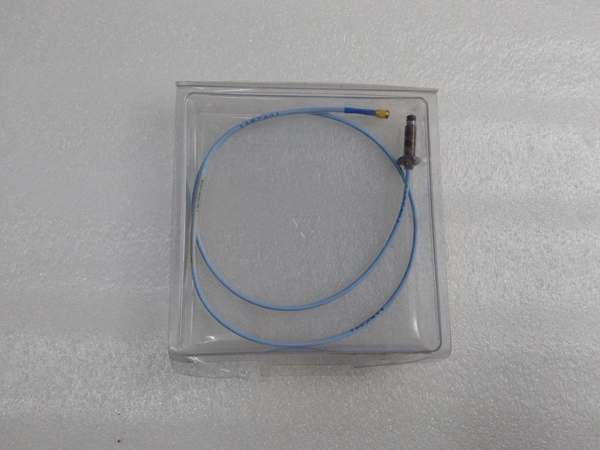
Description
Hard-Numbers: Technical Specifications
- Supported Monitors: All 3500 monitor modules (3500/40M, 3500/42M, etc.)
- Setup Wizards: Automatic sensor detection, auto-calibration, setpoint preset templates
- Communication: Direct VME bus connection to rack controller and monitor modules
- Configuration Storage: Saves configuration to backplane non-volatile memory
- Operator Interface: Integrated 4-line LCD and 6-key keypad for configuration menus
- Operating Temperature: 0°C to +50°C
- Storage Temperature: -40°C to +85°C
- Humidity: 5% to 95% RH non-condensing
- Power Supply: 24V DC via 3500 rack backplane
- Power Draw: 2.5W typical
- Dimensions: Standard 3500 module form factor (12.7″ H × 17.8″ D × 3.2″ W)
- Weight: 0.8 lbs (0.4 kg)
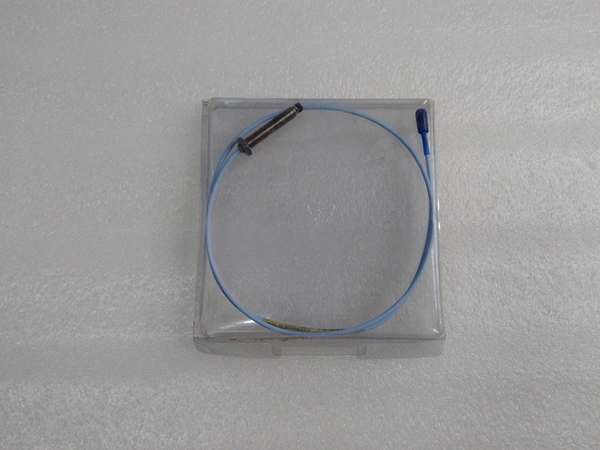
Bently Nevada 330103-00-06-50-01-00
The Real-World Problem It Solves
Commissioning a 3500 rack with 16 vibration monitors takes hours with laptop software. The 3500/54-07-GCN lets you configure sensors, set Alarm/Danger thresholds, and run diagnostics using built-in wizards, saving time on setup and eliminating the need for a laptop on site.
Where you’ll typically find it:
- 3500 rack commissioning on new turbine generator installations
- Module replacement during maintenance outages where laptop access is limited
- Field calibration of proximity probes on machinery with no DCS connection
Bottom line: This is the portable configuration tool for the 3500 rack, enabling quick setup and calibration without requiring special software or network connectivity.
Hardware Architecture & Under-the-Hood Logic
The 3500/54-07-GCN is a setup assistant module that plugs directly into the 3500 VME backplane. It contains a microprocessor with embedded configuration software, an LCD keypad interface, and direct access to all monitor modules. The module simplifies configuration by automating sensor detection, calibrating probes, and setting factory-default setpoints.
-
Sensor Detection: On power-up, the module detects connected sensors by scanning all monitor module terminal blocks. It identifies probe types (3300/3300 XL, 7200 Series), ranges (5mm/8mm), and automatically configures the monitor for proper sensor type.
-
Auto-Calibration Wizard: The module runs a guided calibration procedure for proximity probes. It prompts you to set mechanical gap using a feeler gauge, then measures actual gap voltage at mid-gap and end ranges, storing calibration constants to non-volatile memory.
-
Setpoint Templates: Built-in setpoint templates configure Alarm/Danger thresholds based on machinery type (turbine, compressor, pump). Templates adjust sensitivity to reduce nuisance alarms and match industry standards.
-
Data Storage: All configurations (sensor types, calibration data, setpoints) are saved to the module’s internal non-volatile memory. This data can be exported to USB storage for backup or imported to another rack via USB.
-
Diagnostics: The module performs a functional test on all connected sensors, verifying signal strength, range, and wiring continuity. It reports sensor health status on the LCD screen, including open circuits, short circuits, or weak signals.
-
Backup/Restore: The module supports USB backup/restore of configuration files. You can save the full rack configuration to USB, then restore it to another rack without redoing calibration, saving time on similar installations.
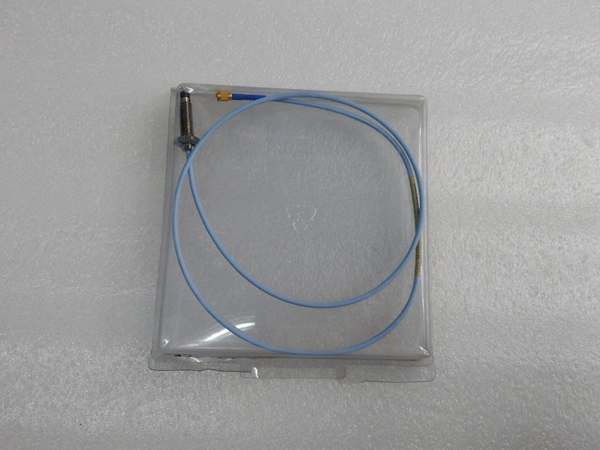
Bently Nevada 330103-00-06-50-01-00
Field Service Pitfalls: What Rookies Get Wrong
Trusting Auto-Detection BlindlyRookie engineers assume auto-detection always gets the sensor type right. But it can’t distinguish between a 5mm and 8mm probe in all cases, especially if the probe model number isn’t standard. I’ve seen a 5mm probe detected as an 8mm probe, leading to a 2mm range instead of 0.5mm range and missed vibration alarms.
- Field Rule: Always verify sensor type and range after auto-detection. Check the module display against the sensor nameplate. If there’s a mismatch, manually correct the sensor configuration using the keypad menus. Never leave auto-detected settings unvalidated.
Skipping Manual Calibration on Critical MachineryTechs run the auto-calibration wizard and skip the manual feeler gauge step, trusting software values. But auto-calibration assumes mid-gap voltage corresponds to mid-mechanical gap, which isn’t always the case with worn probes or misaligned targets. I’ve seen a 10 mil error on a turbine axial position monitor after auto-calibration.
- Quick Fix: Always follow auto-calibration with a manual gap check using a feeler gauge. If manual gap differs from calculated gap by more than 2 mils, re-run auto-calibration with correct gap setting. For critical machinery (turbine generator), perform fully manual calibration using a micrometer.
Forgetting to Back Up Configuration After CalibrationTechs spend two hours calibrating 16 vibration monitors and configuring setpoints, but never back up the configuration to USB. During power loss or firmware update, the module loses all settings and starts fresh with defaults. You’ll have to calibrate everything again.
- Field Rule: After completing any major calibration or configuration change, back up to USB immediately. Save the configuration to two separate USB sticks—one for the control room, one for maintenance kits. Label sticks clearly with rack number and date.
Ignoring Wiring Errors Reported by DiagnosticsThe diagnostics report “weak signal” on Channel 4, but techs assume it’s a calibration issue and re-calibrate the probe. Actually, the wiring harness is damaged, and the gap voltage is lower than expected. The module gives you the answer in diagnostics, but techs skip that step.
- Field Rule: Always run module diagnostics first when troubleshooting. Diagnostics will indicate open circuits, short circuits, weak signals, or incorrect sensor type. Never re-calibrate without first verifying wiring and connections via diagnostics.
Not Updating Firmware After ConfigurationRookies configure the 3500/54 module with old firmware, then update firmware later, losing all configuration settings. Older firmware doesn’t support newer monitor types or USB backup/restore.
- Field Rule: Always update firmware first before configuration. Check Bently’s website for latest firmware version, apply to the module, then perform sensor calibration and configuration. Newer firmware includes fixes for sensor detection and stability.
Using Non-Standard Probes with Auto-DetectionTechs use third-party probes on the 3500 rack. Auto-detection works with Bently 3300/3300 XL probes but may not detect non-standard probes correctly. I’ve seen an aftermarket probe detected as 8mm when it’s actually 5mm.
- Field Rule: Use only Bently 3300/3300 XL probes with the 3500/54 auto-detection. If using non-standard probes, disable auto-detection and manually configure probe type, range, and sensitivity. Document probe details on the module door label.
Commercial Availability & Pricing Note
Please note: The listed price is for reference only and is not binding. Final pricing and terms are subject to negotiation based on current market conditions and availability.



