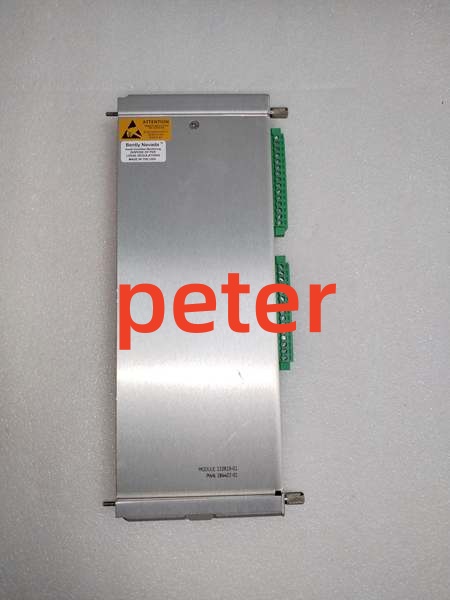
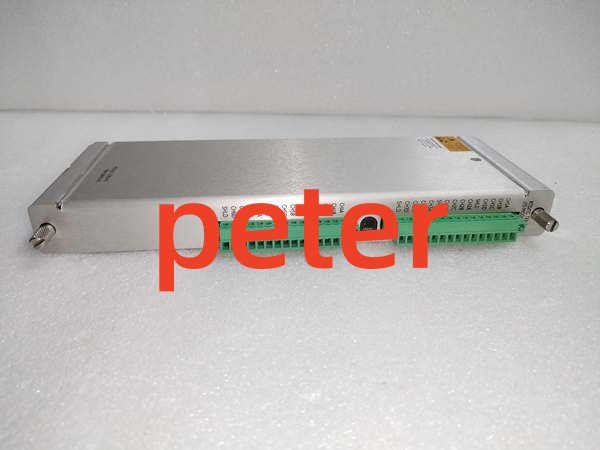
Description
Product Core Brief
- Model: 136188‑01
- Brand: Bently Nevada
- Series: 3500 Machinery Protection System (3500/92 gateway I/O daughter card)
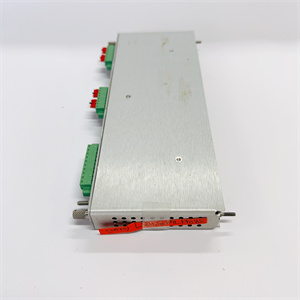
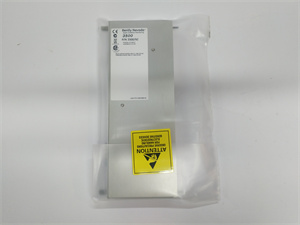
- Core Function: Plug‑in daughter I/O card exclusively for the 136180‑01 gateway base module. It provides physical hardware interfaces: 10BASE‑T RJ45 Ethernet port and isolated RS‑232 serial port. This daughter card cannot mount directly into the 3500 rack slot; it must plug onto the mating connector of the 136180‑01 base module. It converts gateway‑base internal data traffic into physical‑layer signals for Modbus‑TCP over Ethernet, Modbus‑RTU over RS‑232, and Bently‑proprietary host protocol. It adds no measurement or protection logic; it only supplies physical‑port hardware for the 3500/92 gateway assemblyBaker Hugh….
- Product Type: 3500/92 Gateway I/O Daughter Card (Ethernet + RS‑232)
- Key Specs: Dedicated daughter‑card form‑factor, mates only to 136180‑01 base; 1×RJ45 10BASE‑T Ethernet; 1×isolated RS‑232 serial port; supports Modbus‑TCP, Modbus‑RTU, Bently proprietary protocol; no direct backplane‑mount capability; no sensor‑input channels.
Note: OEM discontinued; available as new surplus and field‑tested used stock.
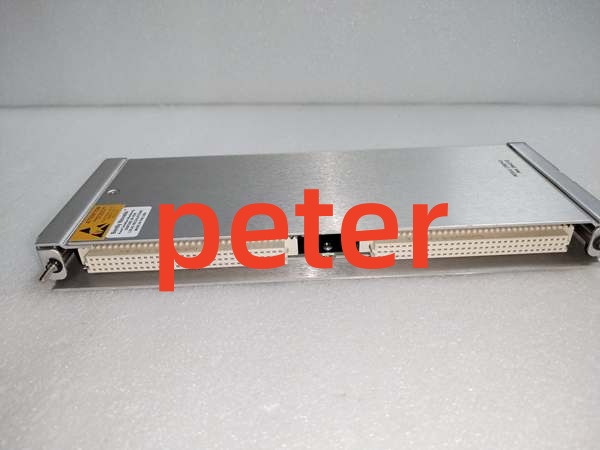
BENTLY 133819‑01
Key Technical Specifications
- Mechanical Form: Compact daughter‑card assembly, installs internally onto 136180‑01 base module; cannot be inserted into empty rack slot by itself
- Interface Hardware:
- Ethernet: RJ45, 10BASE‑T half‑duplex
- Serial: Isolated RS‑232 DB‑9 connector
- Supported Protocols: Modbus‑TCP, Modbus‑RTU (RS‑232), Bently Nevada proprietary protocol for configuration software and System 1 host connectionBaker Hugh…
- Isolation: Galvanic isolation between communication‑ports and gateway‑base internal logic
- Power Source: Draws operating power from host 136180‑01 base module; no separate backplane power feed
- Power Consumption: ~1.2 W typical for daughter‑card portion; combined full‑assembly (base + daughter) total power ~5.0 W‑5.6 W
- Configuration: All port‑related parameters set via 3500 Rack Configuration Software; no local jumpers or switches on daughter‑card hardware
- Operating Temperature: ‑30 °C to +65 °C
- Storage Temperature: ‑40 °C to +85 °C
- Weight: 0.13 kg
- Dimensions: 142 mm ×72 mm ×18 mm
- Humidity: 5‑95 % non‑condensing
- Compliance: API 670, CE, CSA for auxiliary‑communication hardware.
Product Introduction
136188‑01 is the original‑spec daughter‑card for the 3500/92 communication gateway. It supplies Ethernet and RS‑232 physical ports for the 136180‑01 base module. Without this daughter‑card installed, the 136180‑01 base has no external‑communication ports and cannot exchange data with plant DCS, PLC, or configuration PCsBaker Hugh….
This variant provides RS‑232 serial interface. The alternate 136188‑02 daughter‑card supplies RS‑422/485 instead of RS‑232. Field‑site serial‑cable hardware selection must match which daughter‑card revision is fitted.
All protocol‑processing logic lives inside the 136180‑01 base processor. The 136188‑01 only implements physical‑layer transceivers and signal isolation. If this daughter‑card fails, the base‑module continues power‑on self‑test, but all Ethernet and serial‑link traffic stops. Machinery‑protection functions on other rack‑modules keep running; only external‑system data‑export is interrupted.
Common deployments: fitted onto 136180‑01 inside turbine‑compressor TSI racks to deliver Modbus‑TCP telemetry to plant control networks, plus local RS‑232 port for temporary‑service‑tool connection.
QA & Testing SOP (Transparency‑Building)
- Incoming Inspection: Match part‑number and serial‑number against OEM documentation. Inspect RJ45 jack, DB‑9 serial connector, mating gold‑pin edge connector, and PCB for bent pins, burn marks or counterfeit‑marking inconsistencies. Log serial numbers for traceability.
- Live Testing: Install daughter‑card onto known‑good 136180‑01 base module. Insert full assembly into valid 3500 rack slot, apply backplane power. Establish communications with rack‑configuration software. Verify Ethernet link negotiation, RS‑232 signal integrity, Modbus‑TCP register read‑back, Modbus‑RTU serial‑data exchange during continuous 24‑hour load test.
- Electrical Testing: Use Fluke 115 and insulation tester. Verify isolation resistance across communication‑port isolation barrier. Confirm chassis‑to‑rack‑earth continuity of complete gateway assembly.
- Firmware / Config Backup: Record exact firmware revision of paired base‑module. Capture screenshots of network‑IP setup, serial‑port parameters, Modbus‑mapping settings before reset. Photograph port pin‑out layout for reference records.
- Final QC & Packaging: Place unit inside anti‑static shielding bag. Apply printed QC‑pass tag with test‑date stamp. Pack with shock‑absorbent foam for transit.
Installation Pitfalls & Guide (Engineer‑to‑Engineer)
❗ Critical Mechanical Constraint: 136188‑01 cannot go directly into rack slots. It must plug onto the internal mating connector of the 136180‑01 base module. Attempting to force it into rack‑slot will physically destroy the daughter‑card and rack‑backplane.❗ Daughter‑Card Revision Mismatch: 136188‑01 delivers RS‑232 only. If site field‑wiring uses RS‑485, 136188‑01 will not work; you need 136188‑02 instead. Confirm serial‑hardware requirement before part‑replacement.❗ Firmware‑Rev Mismatch: Old‑revision firmware on 136180‑01 base may create link‑instability after installing newer‑revision 136188‑01 daughter‑card. Confirm combined firmware compatibility before commissioning plant‑data‑interface functions.❗ Port‑Wiring Mistakes: RS‑232 cable pin‑out must follow Bently‑defined null‑modem wiring rules. Wrong pin‑assignment yields zero serial‑communication. For Ethernet, use 10BASE‑T‑compatible network hardware; gigabit‑only switches can cause link‑negotiation failures. Cross‑reference OEM datasheet before landing field wiring.❗ ESD Dangers: Unprotected handling can destroy Ethernet‑serial transceiver circuits on this small‑form‑factor daughter‑card. Always use grounded ESD wrist straps during removal and installation.
4‑step replacement guide1. Pre‑install: De‑energize rack power, don ESD wrist strap. Document existing gateway‑network‑settings, serial‑port parameters, and confirm daughter‑card part‑number requirement.2. Removal: Release front‑latch, pull full 136180‑01 gateway assembly out of rack slot. Locate daughter‑card retainer‑clips; carefully detach faulty 136188‑01 from base‑module mating connector.3. Install: Seat replacement 136188‑01 firmly onto base‑module mating connector, engage retainer‑clips. Re‑insert complete gateway assembly into full‑height rack slot until latch fully engages. Terminate Ethernet and RS‑232 cables to daughter‑card front‑face connectors following OEM pin‑out documentation.4. Power‑on Test: Restore rack power, confirm gateway‑base OK‑LED status. Download rack‑configuration. Verify Ethernet link‑up, Modbus‑TCP register‑read‑back over network, and Modbus‑RTU serial‑communication. Perform full‑functional proof‑test before returning plant‑data‑interface functions to service.
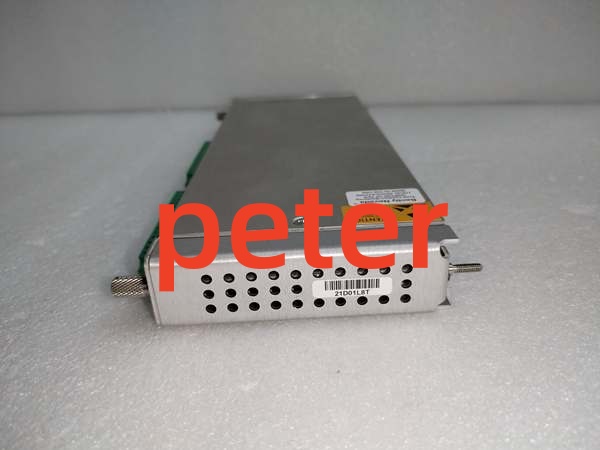
BENTLY 133819‑01
FAQ (Frequently Asked Questions)
Q: Does this daughter‑card support hot‑swap?A: No. The whole 3500/92 assembly (base + daughter) draws power directly from rack‑backplane. Full rack‑power shutdown is mandatory before removing or installing daughter‑card hardware. Live removal creates voltage transients risking damage to adjacent rack‑modules.
Q: What is the difference between 136188‑01 and 136188‑02?A: 136188‑01 provides Ethernet + RS‑232 interface. 136188‑02 provides Ethernet + RS‑422/485 interface. Both mate to the same 136180‑01 base module.
Q: Can I install 136188‑01 into any other 3500‑series module?A: No. This daughter‑card hardware is exclusive to the 136180‑01 3500/92 gateway‑base. No other monitor‑module accepts this daughter‑card assembly.
Q: Will machinery‑protection trips be affected if 136188‑01 fails?A: No. This daughter‑card only handles external‑system communication physical‑ports. All measurement, alarm‑threshold‑comparison and relay‑trip‑logic run independent of gateway‑hardware. Plant‑DCS/SCADA loses TSI telemetry only.
Q: What happens when stored configuration is lost after power‑cycle?A: Network‑IP, serial‑port and Modbus‑mapping parameters reside in volatile memory on the 136180‑01 base‑module, not stored on daughter‑card. Reload rack‑configuration after power‑restoration.
Q: Is brand‑new factory stock available?A: Original OEM manufacturing has ceased. Available stock comes from new‑surplus or field‑tested used inventory. Lead‑times shift with lot availability.
Q: What warranty applies to surplus stock?A: Third‑party inventory carries limited‑time functional warranty covering hardware defects. It excludes damage caused by site‑side surge events, mis‑wiring, or incorrect configuration. OEM factory warranty is no longer offered.
Q: Can I mix‑match daughter‑card revisions on‑site without re‑configuration?A: Physical fit is compatible, but serial‑interface hardware changes. If you swap 136188‑01(RS‑232) for 136188‑02(RS‑485), you must modify field‑cabling and communication‑host settings accordingly. Full site‑acceptance test is required.