Description
Product Core Brief
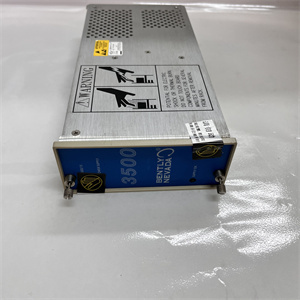
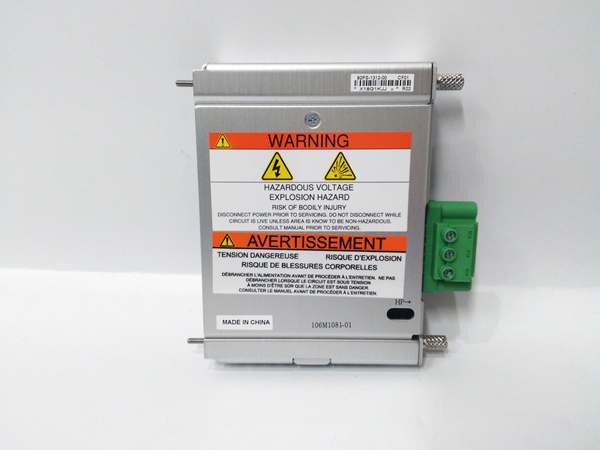
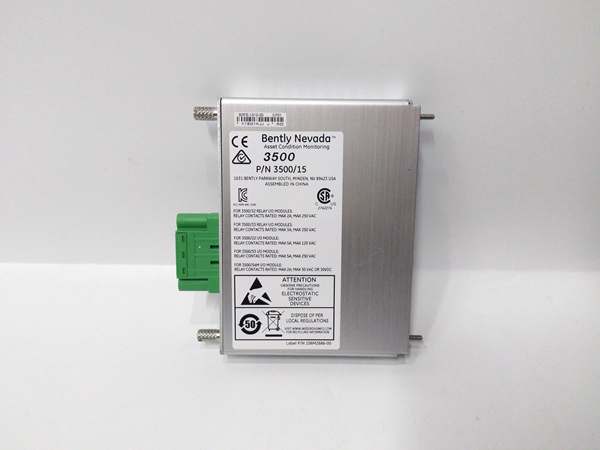
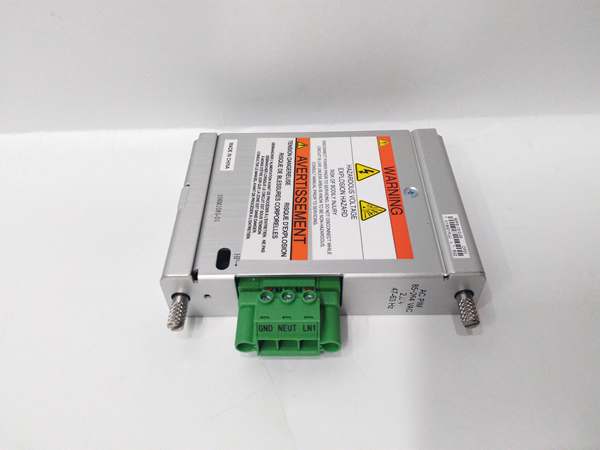
- Model: 106M1081‑01
- Brand: BENTLY
- Series: 3500 Machinery Protection System
- Core Function: Provides universal AC power input interface for the 3500/15 power supply inside 3500‑series racks.
- Product Type: AC Power Input Module (PIM)
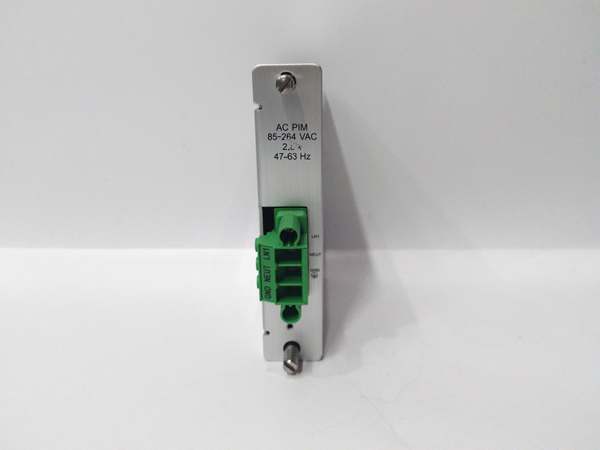
- Key Specs: 85‑264 VAC input | 47‑63 Hz frequency | Half‑height rack slot form factor
Note: OEM discontinued; stock consists of new‑surplus and field‑tested used units.
106M1081-01
Key Technical Specifications
- Input Voltage Range: 85‑264 VAC universal
- Operating Frequency: 47‑63 Hz
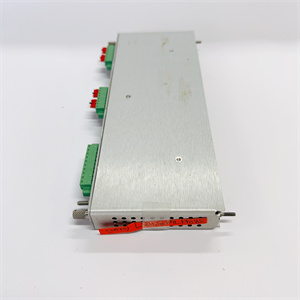
- Rack Slot Requirement: Half‑height left‑side dedicated power slot
- Compatible Partner Unit: 106M1079‑01 (3500/15 power supply converter)
- Over‑voltage / Over‑current: Built‑in hardware protection fusing
- Operating Temperature: 0 °C to +60 °C
- Weight: 0.32 kg
- Physical Dimensions: 120 mm × 120 mm × 25 mm
- Agency Compliance: CE, UL for industrial machinery monitoring
- Mounting: Hot‑plug mechanical latch, non‑hot‑swap electrical design
Product Introduction
This is a dedicated power‑input interface for the 3500 rack family. It routes mains AC supply into the mating power‑converter card to feed all monitoring and protection modules on the backplane.
It accepts global mains voltage without hardware jumper adjustments. This cuts down on spare‑part SKU counts for multi‑site facilities operating across different grid standards.
QA & Testing SOP (Transparency Building)
- Incoming Inspection: Match part number and serial number against OEM documentation. Inspect connector pins, PCB edges, and housing for damage; flag counterfeit marking inconsistencies. Log serial numbers for traceability.
- Live Testing: Install alongside matching converter card in a genuine 3500 rack. Apply rated AC input, verify backplane rail voltages stay within published tolerances for a continuous 24‑hour run.
- Electrical Testing: Use Fluke 115 and insulation tester. Verify >10 MΩ isolation between AC input terminals and chassis ground. Confirm low‑resistance earth‑path continuity.
- Firmware/Config Backup: No user‑configurable firmware on this hardware. Photograph terminal block orientation and latch condition for reference records.
- Final QC & Packaging: Seal unit inside anti‑static bag. Attach QC pass tag with test date. Pack with foam cushioning for transit shock protection.
106M1081-01
Installation Pitfalls & Guide (Engineer to Engineer)
❗ Firmware Rev Mismatch Risk: This unit contains no programmable firmware, but the paired converter card must use a firmware revision compatible with your rack main processor. Mismatched converter firmware can trigger intermittent backplane resets.❗ Slot Location Error: This hardware only works in designated half‑height power slots on the rack’s far‑left side. Installing it in I/O slots results in no power delivery and potential backplane damage. Photograph existing layout before removal.❗ Wiring Incompatibilities: Terminal block pinout differs from older‑generation power hardware. Cross‑reference against OEM datasheet before terminating field AC wiring. Reversed L/N will not destroy the unit but prevents startup.❗ Power Draw Changes: Adding a second redundant supply increases total rack heat dissipation. Confirm cabinet cooling capacity meets revised thermal load.❗ ESD Dangers: Static discharge can damage internal input‑filter circuits. Field records show ESD‑ruined spare units valued over $2000 before power‑on. Always use a grounded ESD wrist strap.
4‑step replacement guide1. Pre‑install: Lock‑out / tag‑out rack AC mains. Wear ESD wrist strap. Confirm slot position and mating converter part compatibility.2. Removal: Release front‑panel latches, slide out old unit, document terminal‑block wiring.3. Install: Slide the replacement firmly into the dedicated power slot until latches engage. Re‑apply AC wiring per datasheet pinout.4. Power‑on Test: Restore mains power. Measure backplane rail voltages. Confirm no rack fault LED status.
FAQ (Frequently Asked Questions)
Q: Does this unit support hot‑swap operation?A: No. Even though it features a mechanical latch, removing it under live mains AC will drop rack power and create voltage transients that can damage adjacent monitoring cards. Full lock‑out of AC input is mandatory.
Q: Can I pair this device with any 3500‑series power converter?A: It must mate with the 106M1079‑01 converter card. Mixing with other DC‑input or older AC‑input hardware will prevent normal operation. Verify with OEM datasheet.
Q: What happens if internal fusing fails?A: The unit will stop passing AC power to the converter. No field‑replaceable fuses exist inside. Repair requires component‑level shop work or full‑unit replacement.
Q: Is brand‑new factory stock available?A: Original factory production has ended. Available stock comes from new‑surplus or tested used inventory. Lead‑times shift with lot availability.
Q: What warranty applies to surplus stock?A: Third‑party inventory carries limited functional warranty covering hardware defects. It excludes damage caused by site‑side over‑voltage events or mis‑wiring. OEM factory warranty is no longer obtainable.
Q: Can I use this unit in SIL‑rated safety loops?A: It provides rack power for protection modules, but the PIM itself carries no SIL certification. Complete safety‑system assessment must account for power‑path redundancy and site‑specific risk requirements.
Q: Can I upgrade to newer‑generation power hardware as a drop‑in swap?A: Physical slot dimensions are similar, but connector pin assignments and power‑bus signaling differ. Direct drop‑in replacement is not possible. Rack configuration and wiring require modification.