Description
Product Core Brief
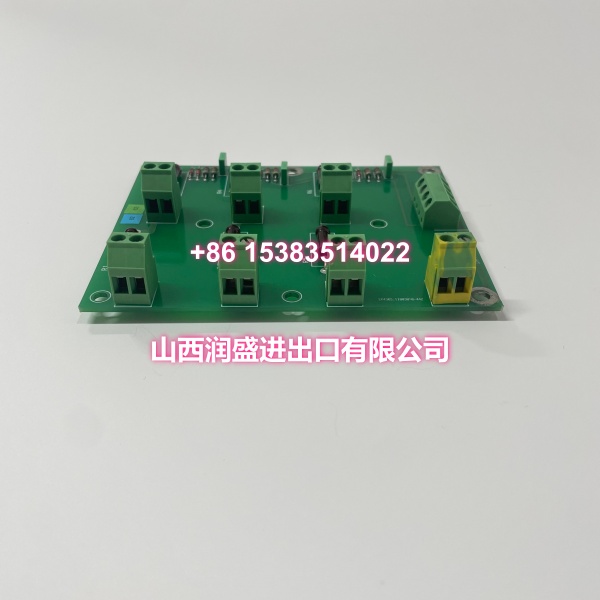
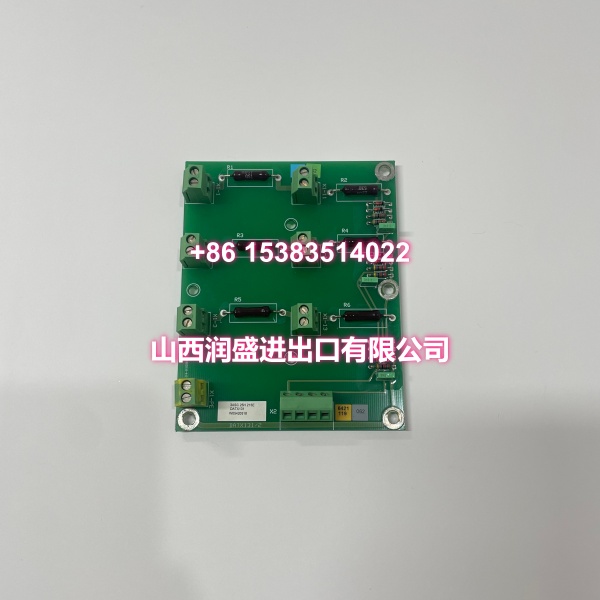
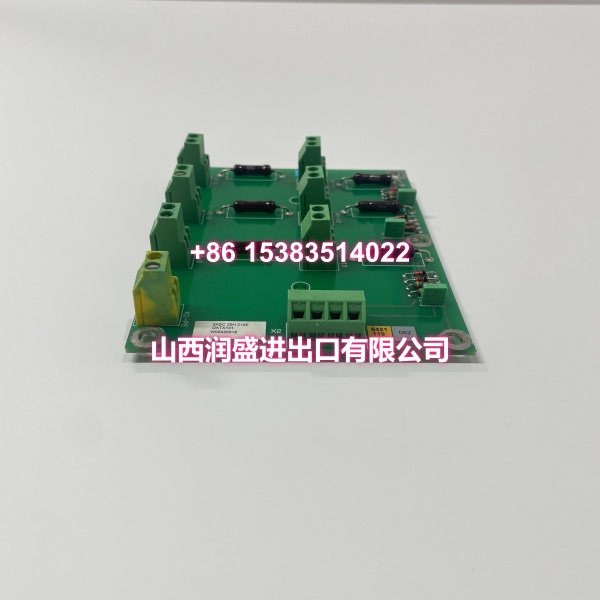
- Model: 3ASC25H215E (DATX131)
- Brand: ABB
- Series: Advant OCS / Freelance Compatible
- Core Function: Intelligent communication adapter for protocol conversion and system bus integration in ABB DCS architectures.
- Product Type: Communication Adapter / Controller Module
- Key Specs: Protocol Conversion (Modbus, Profinet, etc.) | Backplane System Bus Interface | Hot-Swap Capable
- Condition: New Original / New Surplus
Key Technical Specifications
- Supply Voltage: Powered via system backplane (no external field power required)
- Communication Interfaces: Backplane system bus of designated ABB DCS platform
- Protocol Support: Modbus, Profinet, and other industrial protocols (protocol conversion)
- Processing Role: Controller/communication core; field I/O handled by associated termination units
- Installation Method: Plug-in module for specified ABB rack/cardfile
- Mounting: DIN rail / panel mount (standard module footprint)
- Operating Temperature: −20°C to +60°C (conditioned control-room environment)
- Storage Temperature: −40°C to +85°C
- Humidity: 5%–95% RH (non-condensing)
- Dimensions: Standard ABB module footprint (~145 × 100 × 50 mm)
- Weight: ~0.5 kg
- Certifications: CE, UL, TUV
Product Introduction
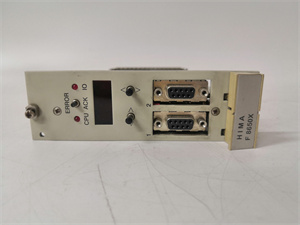
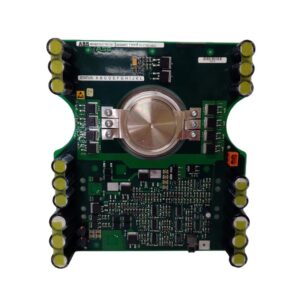
The ABB 3ASC25H215E (DATX131) is an intelligent communication adapter engineered for ABB Advant OCS and Freelance DCS platforms. It serves as a protocol gateway and communication core, enabling seamless integration between different industrial devices and control systems through protocol conversion (Modbus, Profinet, etc.).
Unlike standard I/O modules, this unit handles the logic and communication layer—processing data signals across the backplane bus while associated I/O/termination units manage field wiring. It’s a critical component for lifecycle support and migration programs, allowing plants to maintain deterministic backplane performance without re-engineering the entire control cabinet.
QA & Testing SOP
Every unit undergoes the following verification before shipment:
- Visual Inspection: Check for bent backplane connector pins, corrosion on communication ports, or physical damage to the PCB and housing.
- Anti-Counterfeit Verification: Validate holographic labels, serial numbers, and country-of-origin markings against OEM records.
- Power-On Test: Insert into a compatible ABB test rack, verify stable boot-up, and confirm correct LED status indication with no abnormal heat generation.
- Backplane Communication Test: Verify the module registers correctly on the system bus and responds to DCS workstation polling without communication errors or timeouts.
- Protocol Conversion Test: Where applicable, test protocol translation functionality (e.g., Modbus RTU to system bus) to confirm data integrity and throughput.
- ESD-Safe Packaging: Seal in anti-static bags with foam padding for transit protection.
Installation Pitfalls & Guide
❗ Critical Warnings:
- Backplane Pin Damage: This is the most common field failure with communication modules. Never force the module into the slot. If you feel resistance, pull out and realign—bent backplane pins can destroy the system bus connection.
- Slot Assignment: The DATX131 must be installed in a designated controller/communication slot per your DCS hardware configuration. Installing it in a standard I/O slot will cause a bus fault.
- Firmware Compatibility: Verify your rack’s firmware version supports this module revision. Mismatched firmware can prevent the module from registering on the backplane bus.
- Hot-Swap Caution: While the module supports hot-swapping on compatible racks, always confirm your backplane firmware and slot configuration first. Hot-swapping on an unsupported slot can corrupt the bus and affect other modules.
Replacement Steps:
- Pre-Install: Verify slot assignment in the DCS configuration software and confirm firmware compatibility. If hot-swapping, ensure the rack supports it; otherwise, schedule a controlled shutdown.
- Removal: Release the locking latch, pull the module straight out along the guide rails. Avoid twisting.
- Install: Align the new module’s backplane connector with the designated slot and slide in firmly until fully seated. Engage the locking latch.
- Power-On Test: Check LED indicators for normal status. Verify the module registers on the DCS workstation and run a communication diagnostic to confirm bus integrity.
Technical FAQ
Q: Is this compatible with my existing ABB rack? A: The 3ASC25H215E (DATX131) is designed for ABB Advant OCS and Freelance DCS backplanes. It must be installed in a designated controller/communication slot. Verify your rack series, slot configuration, and firmware version before ordering. Cross-reference with your system’s hardware manual.
Q: What protocols does this module support? A: The DATX131 handles protocol conversion for Modbus, Profinet, and other industrial protocols. The specific protocols available depend on your DCS platform configuration and firmware version.
Q: What’s the difference between new original and new surplus? A: New original is factory-sealed from OEM distribution channels. New surplus is unused OEM stock from decommissioned projects or excess inventory—functionally identical but may lack original retail packaging.
Q: Can I hot-swap this module? A: Yes, the DATX131 supports hot-swapping on compatible ABB backplanes. However, always confirm your specific rack firmware and slot configuration first. If you’re unsure, power down the slot or rack to be safe.
Q: What warranty do you offer? A: Standard 12-month warranty covering manufacturing defects and DOA units. Does not cover damage from improper installation, overvoltage, or ESD.