
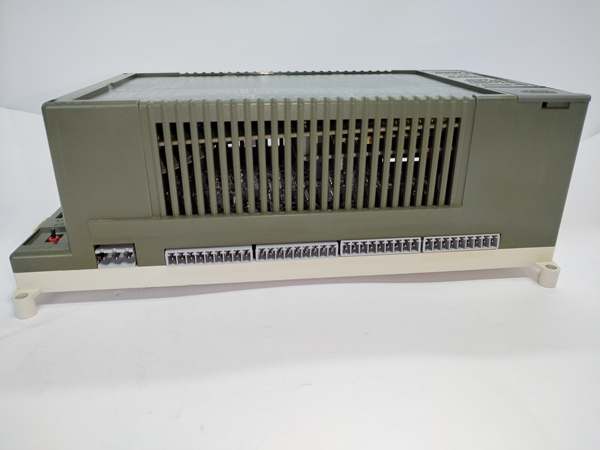
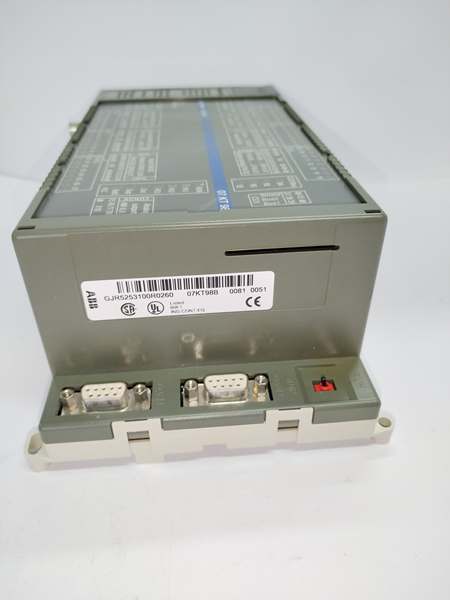
Description
Key Technical Specifications
- Model Number: 07KT98B GJR5253100R3160
- Manufacturer: ABB Industrial Automation Division (Legacy PLC Business Unit)
- Protocol Support: TCP/IP, UDP/IP, Modbus TCP (client/server), HTTP (configuration)
- Ethernet Ports: 2 × RJ45 (10/100Mbps auto-negotiation, full/half-duplex)
- Data Transfer Rate: Up to 100Mbps (Ethernet); 1Mbps (PLC backplane)
- Power Supply: 24VDC ±10% (from 460/800 PLC backplane); 0.15A typical current draw
- Operating Temperature: -10°C to +60°C (14°F to +140°F)
- Isolation Rating: 1kV AC (Ethernet ports to PLC backplane)
- IP Configuration: Static/DHCP (configurable via web interface or serial port)
- Max Nodes: 127 Modbus TCP clients per module
- Certifications: CE, UL 508, IEC 61131-2 (legacy compliance), RoHS (legacy exemption)
- Compatibility: ABB 460CPU/800CPU PLCs, Infi 90/Net 90 DCS, third-party Modbus TCP SCADA (Wonderware, Ignition)
- Configuration Interface: Web browser (HTTP), RS-232 serial port (9600bps, 8N1)
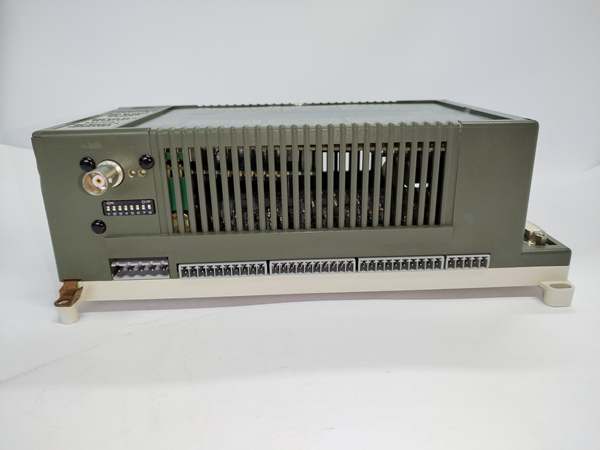
ABB 07KT98B
Field Application & Problem Solved
In brownfield industrial facilities—legacy refineries, paper mills, older chemical plants—ABB 460/800 PLCs remain critical to operations, but they lack native Ethernet connectivity. The biggest challenge is bridging these 1990s-era controllers to modern SCADA systems without costly PLC replacements. Generic Ethernet gateways fail to integrate with ABB’s proprietary backplane, causing communication drops, data corruption, and unplanned downtime. A Wisconsin paper mill lost $90k in a 3.5-hour outage when a generic gateway failed, halting a tissue production line controlled by an ABB 800 PLC.
You’ll find this module in 460/800 PLC racks across: legacy refinery auxiliary systems (pump stations, valve manifolds), paper mill machine controls, and older power plant ash handling systems. It’s also used in retrofits where SCADA upgrades are required but full PLC replacement is cost-prohibitive (often $500k+ per line).
Its core value is ABB-native integration + plug-and-play Ethernet connectivity + legacy reliability. Unlike generic gateways, it communicates directly with the PLC’s backplane without custom drivers, eliminating compatibility issues. For a Texas refinery, the module’s dual Ethernet ports enabled redundant SCADA connections, preventing a repeat of a 2-hour downtime event caused by a single-point network failure.
Installation & Maintenance Pitfalls (Expert Tips)
- IP Address Conflict: Avoid Default Settings: Rookies leave the module on its default IP (192.168.1.100), causing conflicts with other network devices. An Ohio steel mill’s SCADA lost communication until the module’s IP was assigned to a unique address in the plant’s subnet. Use the web interface to set a static IP that matches your SCADA network—document all IPs in a plant asset database.
- Cable Type: Use Shielded Twisted Pair: Unshielded Ethernet cables pick up noise from VFDs and motors, leading to intermittent “timeout” faults. A Florida food processing plant’s PLC data dropped offline hourly until shielded Cat5e cable was installed. Ground the shield at the SCADA end only—daisy-chaining grounds creates noise loops.
- Firmware Mismatch: Verify PLC Compatibility: Outdated module firmware (pre-v3.0) doesn’t support Modbus TCP server mode, rendering it useless for SCADA polling. A Pennsylvania chemical plant’s technicians spent 8 hours troubleshooting until they updated the module to v3.2 via the serial port. Check ABB’s legacy support site for firmware compatibility with your PLC’s CPU version (must be v4.0+ for 800 Series).
- Gateway Configuration: Set for Remote Access: Forgetting to configure the default gateway prevents SCADA systems on other subnets from communicating with the module. A North Carolina refinery’s corporate SCADA couldn’t access the PLC until the gateway IP was entered in the module’s web interface. Use the plant’s router IP as the gateway—test connectivity with a ping before commissioning.
- Port Blocking: Allow Modbus TCP (Port 502): Firewalls often block port 502 (Modbus TCP default), causing SCADA to fail reading PLC data. A Louisiana paper mill’s IT team had to whitelist port 502 for the module’s IP—this is a common oversight that wastes hours of troubleshooting. Verify port access with a Modbus TCP tester before connecting to SCADA.
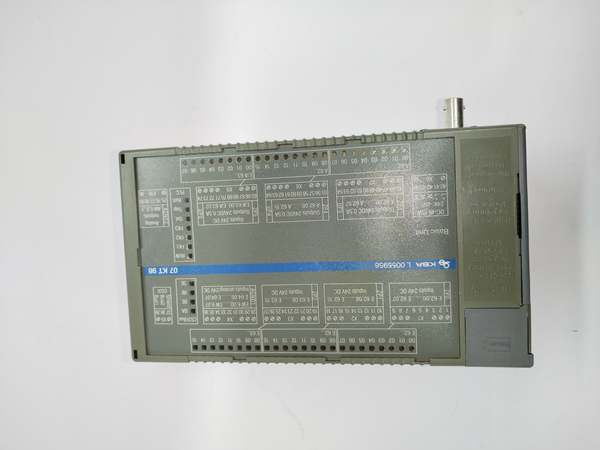
ABB 07KT98B
Technical Deep Dive & Overview
The ABB 07KT98B GJR5253100R3160 is a purpose-built Ethernet communication module engineered to add modern network connectivity to ABB’s legacy 460/800 Series PLCs. At its core, a dedicated 32-bit processor handles TCP/IP and Modbus TCP protocol translation, offloading communication tasks from the PLC’s CPU to avoid scan time overruns. The module plugs directly into the PLC’s backplane, using ABB’s proprietary interface to read/write PLC data registers—no external wiring or adapters needed.
Unlike generic gateways, it natively supports Modbus TCP (the industry standard for SCADA communication), enabling seamless integration with third-party systems like Wonderware, Ignition, and Siemens WinCC. The dual Ethernet ports offer flexibility: one for SCADA connectivity, the other for local configuration or redundant network paths. The module’s web interface simplifies setup—technicians can configure IP settings, Modbus registers, and network parameters without specialized software.
What sets it apart is its rugged, legacy-tested design. It’s built to withstand the same harsh conditions as the 460/800 PLCs (wide temperature range, electrical noise, dust), with 1kV AC isolation to block interference from industrial equipment. While it lacks advanced features like Ethernet/IP or Profinet, it excels at its core job: keeping legacy ABB PLCs connected to modern SCADA systems, extending the life of critical industrial infrastructure by 10+ years. For facilities with millions invested in legacy PLCs, this module isn’t just a communication interface—it’s a cost-saving lifeline that delays the need for a full control system overhaul.



