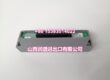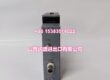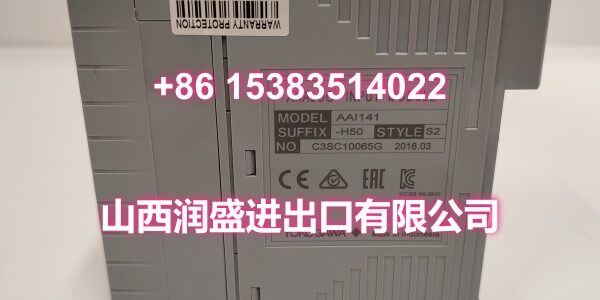
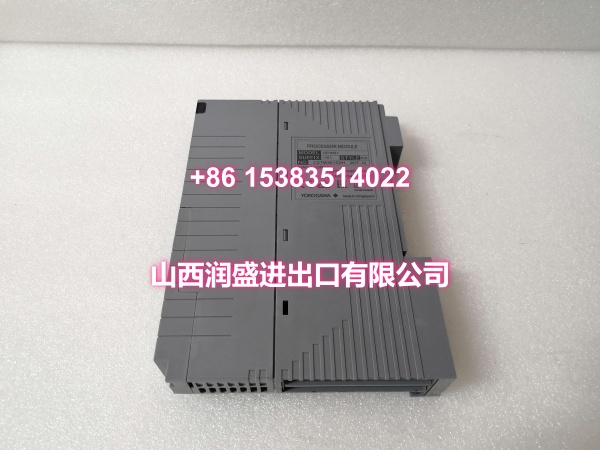
Product Core Brief
- Option code: /K4A00
- Associated model: ATK4A-00 KS cable interface adapter
- Brand: YOKOGAWA
- Series: CENTUM CS 3000 / CENTUM VP I/O option
- Core Function: Interface adapter that allows Yokogawa analog I/O modules to connect to an AEA4D terminal board using a KS cable.
- Product Type: KS Cable Interface Adapter
- Key Specs: Matches /K4A00 option code | Used with AEA4D terminal board | Compatible with AAI543, AAI135 and related Yokogawa analog I/O modules
- Condition: New Original / New Surplus
Key Technical Specifications
- Product type: KS cable interface adapter for Yokogawa analog I/O modules
- Option code: /
- Adapter model: ATK4A-00
- Compatible terminal board: AEA4D
- Connection type: KS cable interface
- Typical compatible modules: AAI543 16-channel 4–20 mA analog output module, AAI135 8-channel 4–20 mA analog input module, and other Yokogawa analog I/O modules supporting the /K4A00 option
- System compatibility: CENTUM CS 3000 and CENTUM VP DCS I/O nodes
- Handling: ESD-sensitive DCS accessory
Note: The /K4A00 code is an option suffix, not a standalone module. The exact compatible I/O module must be confirmed from the original part number before ordering.
Product Introduction
The /K4A00 option corresponds to the Yokogawa ATK4A-00 KS cable interface adapter. It is used on Yokogawa analog I/O modules such as AAI543 and AAI135 to provide a KS cable interface for connection to an AEA4D terminal board.
This adapter is commonly specified when the DCS I/O rack needs clean, standardized field wiring through a terminal board rather than direct point-to-point wiring. For maintenance teams, it is important to match the original option code because using the wrong adapter can prevent proper connection to the terminal board or cause wiring incompatibility.
QA & Inspection SOP
Each adapter is inspected before release:
- Label verification: Confirm the module carries the /K4A00 option or that the ATK4A-00 adapter is present.
- Visual inspection: Check the adapter, connector, and mounting area for damage, corrosion, or missing hardware.
- Connector check: Inspect the KS cable interface and module-side connection for bent pins or poor contact.
- Mechanical fit check: Verify the adapter seats correctly on the I/O module and aligns with the AEA4D terminal board interface.
- Continuity check: If required, verify pin continuity between the module side and KS cable interface.
- Packaging: Protect connectors and adapter pins during shipment.
Full validation requires installation on the correct Yokogawa I/O module and connection to an AEA4D terminal board.
Installation Pitfalls & Guide
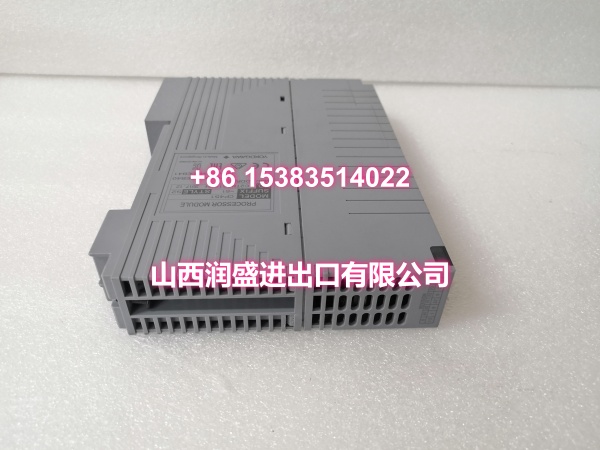
❗ /K4A00 is not a standalone module. It is an option code that indicates the module is supplied with the ATK4A-00 KS cable interface adapter.
❗ Match the I/O module type. The adapter must match the original module family, such as AAI543 for analog output or AAI135 for analog input. Do not assume cross-compatibility across all Yokogawa I/O cards.
❗ Confirm the terminal board. The /K4A00 option is designed for the AEA4D terminal board. Using it with other terminal boards may require a different adapter code.
❗ Check KS cable routing. Ensure the KS cable length, connector type, and routing match the existing panel layout before replacement.
Installation steps:
- Pre-install: Record the original module part number, option code, slot position, and terminal board model.
- Removal: De-energize the I/O node if required, disconnect the KS cable, and remove the adapter or module.
- Install: Mount the ATK4A-00 adapter on the correct I/O module, verify alignment with the AEA4D terminal board, and reconnect the KS cable.
- Verification: Restore power, check I/O status, and confirm that field signals are correctly transmitted through the terminal board.
Technical FAQ
Is /K4A00 a separate product?
No. /K4A00 is an option suffix that indicates the module includes the ATK4A-00 KS cable interface adapter.
Which modules use /K4A00?
It is commonly found on Yokogawa analog I/O modules such as AAI543 and AAI135. Always confirm compatibility using the full module part number.
Can /K4A00 replace /A4S00 or /A4D00?
Not directly. Those option codes correspond to different terminal interfaces and wiring accessories. The adapter must match the existing terminal board and KS cable configuration.
What should I check if field wiring fails after replacement?
Verify the option code, adapter model, KS cable connection, AEA4D terminal board compatibility, and I/O module slot assignment.
Is this item still available?
Availability depends on the base I/O module and option code. Confirm the full part number and stock condition before ordering.