Product Core Brief
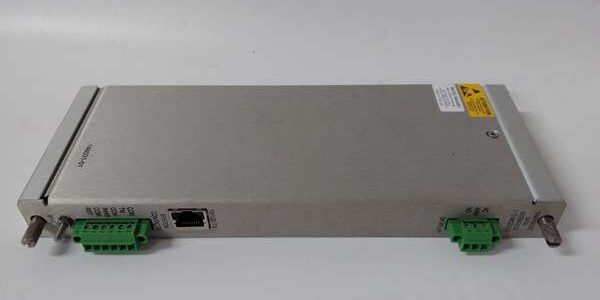
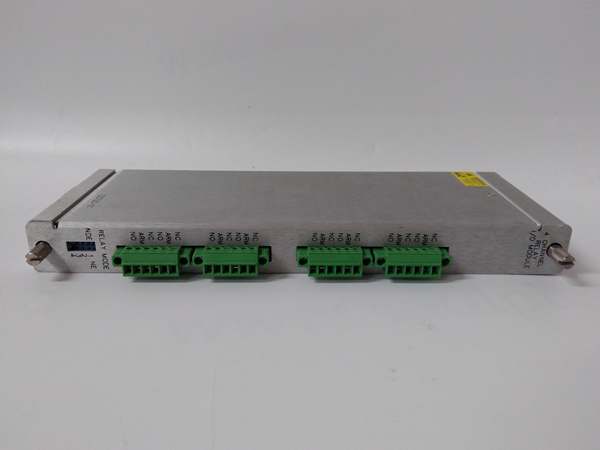
- Model: 3500/92-05-GCN
- Brand: Bently Nevada
- Series: 3500 Machinery Protection System
- Core Function: Bridges 3500 rack data to external DCS/PLC systems via Modbus TCP/IP and serial protocols.
- Product Type: Communication Gateway Module
- Key Specs: Modbus TCP/RTU | RJ-45 Ethernet | Configurable Registers
- Condition: New Surplus / Original OEM
Key Technical Specifications
- Manufacturer: Bently Nevada
- Part Number: 3500/92-05-GCN
- Product Category: Communication Gateway Module
- System Architecture: Bently Nevada 3500 Rack
- Ethernet Protocol: Modbus/TCP, Bently Nevada Protocol
- Serial Protocol: Modbus RTU (RS232/RS422/RS485)
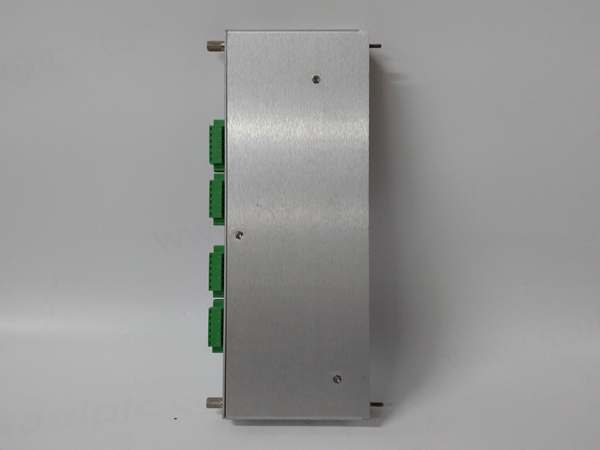
- Physical Interface: RJ-45 (10BASE-T), Serial Terminal Block
- Data Refresh Rate: < 1 Second (Rack Dependent)
- Power Consumption: ~5.0W – 5.6W (Typical)
- Operating Temp Range: -30°C to +65°C
- Compliance: API 670 / CE / CSA / SIL 2 (System Dependent)
Product Introduction (No Fluff)
This 3500/92-05-GCN serves as the critical data bridge between your Bently Nevada 3500 protection rack and plant-wide automation systems. It translates internal rack measurements, alarms, and status into standard Modbus TCP/IP or serial formats for DCS/PLC integration.
Sourcing this exact OEM replacement part prevents data blackouts when legacy gateways fail or Ethernet ports degrade. Keeping verified new surplus stock on hand drastically reduces unplanned downtime during critical backplane failures or when expanding system visibility.
QA & Testing SOP (Dynamic & Transparent)
Communication gateways demand zero packet loss. Every 3500/92-05-GCN undergoes an inbound anti-counterfeit inspection, verifying PCB silkscreen, component lot codes, and Bently Nevada factory labels. Next, the module is mounted on a dedicated 3500 test rack to validate backplane handshake and internal network traffic. We configure a full Modbus TCP map and run a continuous polling stress test to verify register integrity and refresh rates. Finally, a 4-hour continuous burn-in under nominal load catches marginal Ethernet PHYs before they reach your panel. All units ship in dual-layer ESD shielding with a printed QA test report.
Installation Pitfalls & Guide (Engineer to Engineer)
❗ Modbus Register Mapping: The 3500/92 does not auto-publish all data. You must explicitly configure which vibration, position, or temperature values map to specific Modbus registers using the 3500 Configuration Software. If your DCS reads zeros, check your Configurable Registers setup, not the hardware.
❗ Ethernet Cable Quality: This module uses standard RJ-45 10BASE-T. In high-noise environments near VFDs or large motors, unshielded or poorly terminated Cat5e/Cat6 cables will cause intermittent Modbus timeouts. Always use shielded industrial Ethernet cable and ground the shield at the cabinet entry point.
❗ Slot Assignment: While less critical than Keyphasor modules, the 3500/92 still requires a valid full-height slot. Ensure you are not placing it in a reserved slot (like Slot 1 for TDI/Power) or a half-height only slot if the rack requires full-height support.
Replacement Protocol:
- Pre-Install: Lock out the 3500 rack power. Verify 0 VDC at the backplane. Ground yourself properly.
- Removal: Release the front panel retaining screws. Extract the failed module straight out. Inspect the backplane connector for bent pins.
- Install: Align the 3500/92-05-GCN with the guides. Seat it firmly and secure the faceplate screws. Connect the RJ-45 Ethernet cable.
- Power-on Test: Restore rack power. Use the 3500 Configuration Software to verify the module is recognized. Ping the module IP and poll a known register via Modbus to confirm data flow.
Technical FAQ
Is this an exact drop-in replacement for my older 3500/92 module?
Yes, the 3500/92-05-GCN maintains complete backward compatibility with existing 3500 racks and configurations. It supports the same Modbus TCP/RTU protocols and integrates seamlessly with the 3500 Configuration Software. You can swap it directly into an older slot without reconfiguring the entire rack, though you should verify your IP settings and register maps.
Why is this listed as “New Surplus” instead of factory-new?
This is genuine Bently Nevada stock that was never deployed in a power plant or refinery. It has been stored in climate-controlled inventory rather than exposed to harsh industrial environments. You receive the exact same MTBF and lifespan as a factory-fresh unit, typically at a significantly lower cost and without the 16-week lead time.
Can I hot-swap this gateway module while the 3500 rack is live?
No. The 3500 backplane does not support hot-swapping the communication gateway. Removing it under power will cause an immediate loss of all Modbus data to the DCS/PLC, potentially triggering communication fault alarms in the host system. Always schedule this replacement during a planned outage or shutdown window.
What is the warranty coverage on this part?
We provide a standard 12-month functional warranty. If the module fails under normal operating conditions within that window, we replace it. Our QA testing proves the module communicated perfectly before it left our bench, so we stand behind our inventory.
My 3500 system is aging. Should I replace this module or plan a full 3500 to Orbit 60 migration?
If this is an isolated failure, replacing the 3500/92-05-GCN is the most cost-effective way to keep your data integration alive. However, if you are experiencing cascading backplane communication errors or the 3500/92 is failing repeatedly, your entire rack may be nearing end-of-life. Use this replacement as a bridge to schedule a comprehensive migration during your next major turnaround.