Product Core Brief
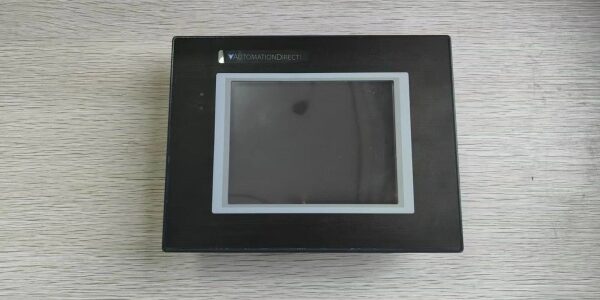
- Model: EA9-T6CL
- Brand: Automation Direct
- Series: C-more EA9
- Core Function: Provides a 6-inch color TFT touch interface for monitoring and controlling industrial automation systems.
- Product Type: HMI Touchscreen Panel
- Key Specs: 320×240 QVGA | Resistive Touch | LED Backlight
- Condition: New Original / New Surplus
Key Technical Specifications
- Manufacturer: Automation Direct
- Part Number:
- Product Family: C-more EA9 Series HMI
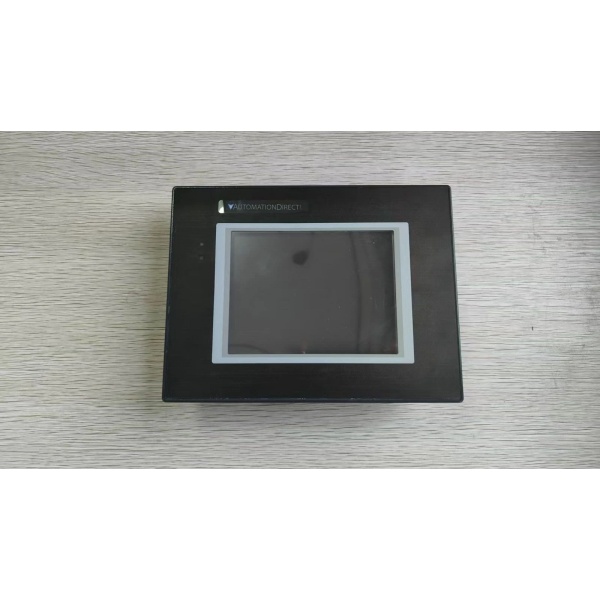
- Display Size: 6-inch Color TFT LCD
- Resolution: 320 x 240 pixels (QVGA)
- Touch Type: Analog Resistive
- Backlight: LED
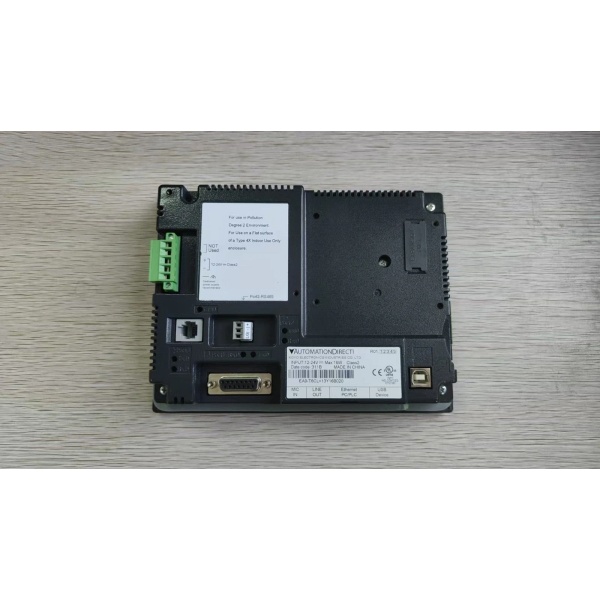
- Communication Ports: (3) Serial, (1) Ethernet, (2) USB
- Storage: (1) SD Card Slot
- Audio: (1) Line Output
Product Introduction (No Fluff)
T serves as the primary operator interface for C-more EA9 series systems, providing a 6-inch QVGA touchscreen for real-time process visualization and control. It bridges the gap between machine logic and human operators with multiple serial and Ethernet ports.
Sourcing this exact OEM replacement part prevents extended machine downtime when legacy HMI screens fail or suffer from backlight burnout. Keeping verified new surplus stock on hand allows integrators to bypass standard lead times and restore operator visibility immediately.
QA & Testing SOP (Dynamic & Transparent)
HMIs require more than just a power-on test. Ev undergoes an inbound anti-counterfeit inspection, verifying the LCD panel manufacturer code, rear housing molding, and port integrity against OEM baselines. Next, we mount the panel on our C-more test bench to validate the resistive touch grid across all quadrants and check for dead pixels or backlight bleed. We then run a communication stress test, pinging the Ethernet port and verifying serial handshakes with a simulated PLC. Finally, a 4-hour continuous burn-in ensures the LED backlight doesn’t flicker under thermal load. All units ship in anti-static bubble wrap with a printed QA checklist.
Installation Pitfalls & Guide (Engineer to Engineer)
❗ Resistive Touch Calibration: Unlike modern capacitive glass, analog resistive screens can drift over time or after a replacement. If the touch points are offset by a few millimeters, don’t assume the board is bad. Run the calibration utility in the C-more setup menu immediately after first boot.
❗ Serial Port Ground Loops: Connecting this HMI to a PLC with a different ground potential over RS-232/485 can fry the internal transceiver. Always verify that your communication cable is properly shielded and that the shield is grounded at only one end to prevent ground loops.
❗ Panel Cutout & Gasket Seal: requires a specific panel cutout size. If you are retrofitting an older EA7 or different brand, measure twice. Ensure the foam gasket on the rear bezel is fully seated; a pinched gasket will compromise the NEMA 4X/IP65 front panel rating.
Replacement Protocol:
- Pre-Install: Back up the current C-more project to an SD card or USB drive. Lock out panel power.
- Removal: Release the rear mounting clips. Push the old HMI out from the back. Inspect the panel cutout for burrs.
- Install: Insert from the front. Secure the rear mounting brackets evenly (do not overtighten). Reconnect Ethernet, Serial, and 24VDC power.
- Power-on Test: Apply 24VDC. Verify the C-more boot screen. Load your project from the SD card and test all navigation buttons and data tags.
Technical FAQ
Mechanically, the EA9 series shares the same 6-inch cutout as the EA7, making it a direct physical swap. Electrically and logically, it is backward compatible, but you should verify your C-more programming software version. Older EA7 projects may require a quick conversion pass in the latest C-more software before transferring to .
Why is this listed as “New Surplus” instead of factory-new?
This is genuine Automation Direct stock that was never deployed on a factory floor. It has been stored in climate-controlled inventory rather than exposed to industrial oils and UV light. You receive the exact same lifespan and reliability as a factory-fresh unit, typically at a significantly lower cost.
Can I hot-swap this HMI while the PLC is running?
Yes, provided your 24VDC power supply has sufficient headroom and your communication protocol supports reconnection. However, it is always best practice to power down the HMI before mating the connectors to prevent any transient voltage spikes on the serial or Ethernet lines.
What is the warranty coverage on this part?
We provide a standard 12-month functional warranty. If the touchscreen fails, the backlight dies, or a port stops communicating under normal operating conditions within that window, we replace it. Our QA testing proves the panel functioned perfectly before it left our bench.