Product Core Brief
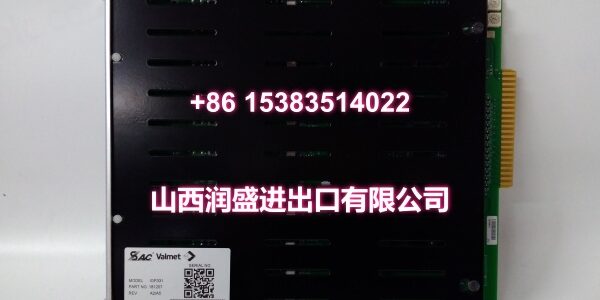
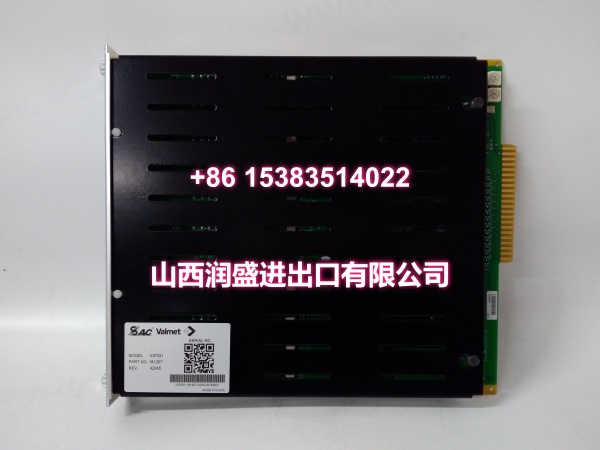
- Model: IOP330
- Brand: Metso
- Series: IOP300 Series I/O
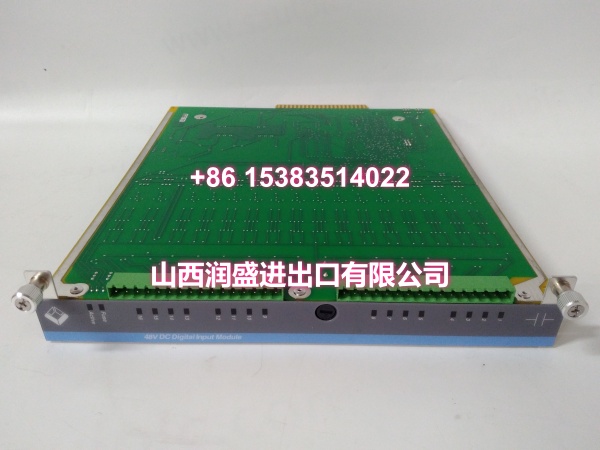
- Core Function: Reads discrete status signals from field devices and reports to the DCS.
- Product Type: Digital Input Module
- Key Specs: 24VDC Logic | 16 Channels | Galvanic Isolation
- Condition: New Original / New Surplus
Key Technical Specifications
- Module Type: Digital Input (DI)
- Product ID:
- Signal Types: Dry Contact, 24VDC Sinking/Sourcing
- Channel Count: 16 Channels
- Isolation: 500V Galvanic Isolation
- Update Rate: <10ms
- Operating Temp: -20°C to +70°C
- Backplane: IOP300 Series compatible
- Diagnostics: Open Wire / Short Circuit Detection
- Input Impedance: High impedance for low power draw
Product Introduction
Sitting in the IOP300 series rack, this card reads limit switches, proximity sensors, and relay contacts. It converts noisy field-level 24VDC signals into clean, debounced logic states for the CPU.
Field engineers rely on the per-channel isolation to prevent a grounded sensor wire from taking out the entire module. The diagnostic LEDs make troubleshooting fast—you can see which channel is active or faulted without pulling out a multimeter.
QA & Testing SOP (Dynamic & Transparent)
Every Metso IOP330 gets a full digital workout, not just a power-on check. We start with a visual inspection under magnification, looking for cold solder joints or flux residue that screams “field repair.” Then we test all 16 channels by injecting 24VDC signals and verifying state changes in the status register.
Next, we test the input filtering by injecting rapid on/off pulses to verify debounce timing. We also simulate open-wire and short-circuit faults to confirm the diagnostic circuitry responds correctly without damaging the module. Units ship in anti-static foam with a test certificate showing pass/fail for each channel.
Installation Pitfalls & Guide
❗ Sensor Type Matching: This module supports both sinking and sourcing inputs, but you must wire them correctly. A PNP sensor wired to a sinking input will read backwards or not at all. Check the wiring diagram on the module faceplate before applying power.
❗ Long Cable Runs: If your sensor is 300+ feet away, voltage drop can cause false readings. Use shielded twisted-pair cable and verify the voltage at the module terminals under load. Consider using a higher voltage sensor if possible.
❗ Backplane Power Draw: Digital input modules draw minimal 24VDC, but they do consume 5VDC from the backplane. If you’re populating a full rack, calculate the total 5V load. A sagging 5V rail can cause input chatter or communication errors.
Replacement SOP:
- Pre-Install: Tag every wire; photograph the terminal layout before pulling.
- Removal: Release the top and bottom latches simultaneously; pull straight out.
- Install: Verify the keying tab aligns; push until you hear the dual click.
- Power-On: Apply backplane power; wait for the “Module OK” LED before enabling inputs.
Technical FAQ
Q: Can I mix IOP330 and IOP320 modules in the same rack?
A: Yes, the IOP300 backplane supports mixed digital and analog cards. Just ensure your configuration software matches the slot assignment to the physical card type. The backplane doesn’t auto-detect; you have to tell it what’s where.
Q: Why is my input chattering even with a solid sensor?
A: Check for ground loops or EMI. If the sensor cable runs parallel to a VFD output cable, you’ll pick up noise. Use shielded cable, ground the shield at the module only, and increase the debounce time in software if possible.
Q: Is this module compatible with third-party DCS systems?
A: The IOP330 is designed for Metso DCS backplanes. While the digital signals are standard, the backplane communication protocol is proprietary. You can’t plug this into a Siemens or Allen-Bradley rack without a gateway. Stick to the OEM ecosystem for this card.
Q: What does the “Open Wire” diagnostic actually detect?
A: It monitors the input impedance. If the circuit is open (no connection), the module flags an open wire fault. Note: It won’t detect a shorted sensor—that just reads as “always on.” You need a separate short-circuit test for that.
Q: Do I need to configure the channel type?
A: Yes. The IOP330 channels may need configuration for sinking vs. sourcing logic depending on your sensor type. Make sure you set the configuration correctly before applying power. Incorrect configuration can cause false readings or, in rare cases, damage the input circuitry.